


User Guide
Campaign Analysis Report Summary
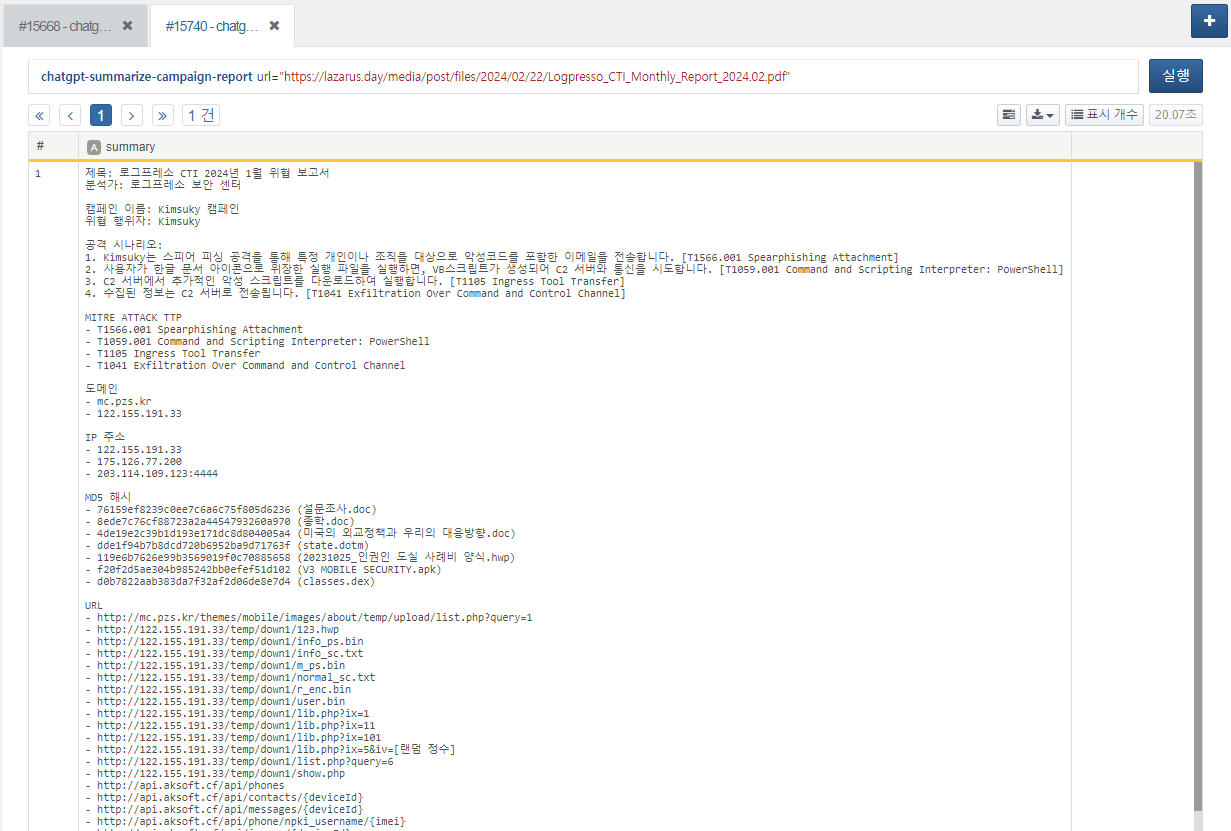
You can receive a summarized result by providing the URL of a campaign analysis report in PDF format as a parameter. This task can be used within a playbook.
Usage the chatgpt-ask Extended Command
Starting from version 1.2.2601.0, when using the chatgpt-ask extended command, you can use GPT-5 series reasoning models.
As a result, a wider range of options is now supported, and the challenge is to adjust option values according to the situation to find optimal thresholds.
The available options are as follows:
-
mode: auto, instant, thinking
-
reasoning: none, low, medium, high, xhigh (supported only by the 5.2 model)
-
verbosity: low, medium, high
When mode is set, reasoning and verbosity are automatically selected with predefined values. If reasoning and verbosity are additionally specified while mode is set, the detailed option values take precedence.
For example, when using the extended command as above, the reasoning value assigned in thinking mode changes from high to none.
reasoning is an option that controls the level of inference. As it moves toward high, the model spends more time reasoning. Accordingly, it is recommended to properly adjust the read timeout in the connection profile.
verbosity controls the level of detail. The closer it is to low, the more concise the response; the closer it is to high, the more detailed the response.
The max-output-tokens option sets the maximum length of tokens used for the response.
The input range is limited by the maximum token value defined in the connection profile.
If the value is too small, the command execution response may be truncated or fail. (Since tokens are also consumed during the reasoning process, this must be considered when configuring GPT-5 series models.)
By properly combining this value with the mode option above, you can adjust response quality according to the situation.
For example, when short, concise, and fast responses are required, the above configuration can be used. Since instant mode does not include a reasoning process, it is suitable for simple summaries, status checks, or brief judgments. Combining it with GPT-5-mini or GPT-5-nano models can further improve efficiency.
The following configuration can be used when balanced reasoning output is required. Although execution time may increase due to the reasoning process and higher token usage, higher-quality responses can be obtained.
This configuration can be used when in-depth reasoning and detailed explanations are desired. Based on the explanations above, you can see that as the max-output-tokens value increases, the length of the response also increases.
Therefore, it is recommended to set max-output-tokens with the expected maximum length of the desired response in mind. Additionally, limiting the number of characters or specifying an output format in the prompt can also help in obtaining the desired response.
GPT-4 models are sampling-based models and therefore do not support reasoning capabilities. Instead, you can set the temperature via the connection profile, which is useful when you want more uniform responses compared to reasoning models. They also offer significantly faster response speeds than reasoning models, making them suitable for fast and repetitive use cases.
Web Search Feature
Starting from version 1.3.2603.0, a web-search option has been added to the chatgpt-ask and chatgpt-ask-batch commands. This allows you to retrieve real-time external data through web search, in addition to the model’s trained knowledge.
The usage of this option is as follows:
You can also restrict the domains used for web search by configuring the allowed domains option in the connection profile. However, it is recommended to register a sufficiently broad range of domains to ensure that the desired services are not unintentionally blocked.
For example, if you only register www.naver.com, domains that provide services such as news may not be allowed, which could prevent you from retrieving the latest articles. Please keep this in mind before using the allowed domains option.
While the Web Search feature can be a powerful tool due to its ability to access real-time data, please note that it may result in increased token usage and additional costs for web search requests.