Install Guide
Configure Logpresso Connection Profile
Refer to this document to add a new connection profile.
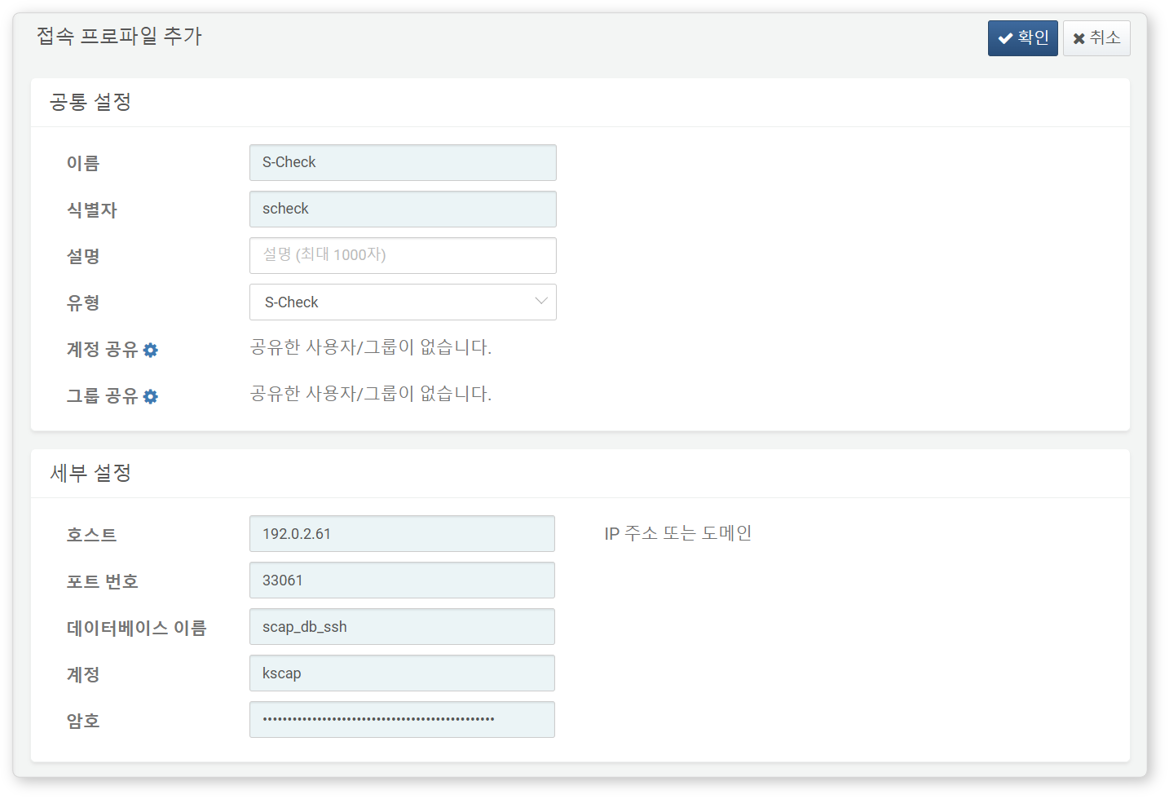
The following fields are required for configuration:
- Name: A unique name to identify the profile.
- Identifier: A unique key used in Logpresso queries.
- Type: Select
S-Check. - Host: IP address or domain name of the S-Check database server.
- Port: 33061
- Username: Database account for accessing S-Check.
- Make sure to use an account with read-only access.
- Password: Password for the database account.
Once the connect profile is set up, you can use S-Check extension commands in queries and playbooks.