


Install Guide
FortiGate REST API Profile Configuration
In System > Admin Profiles, create a Logpresso API profile as shown below.
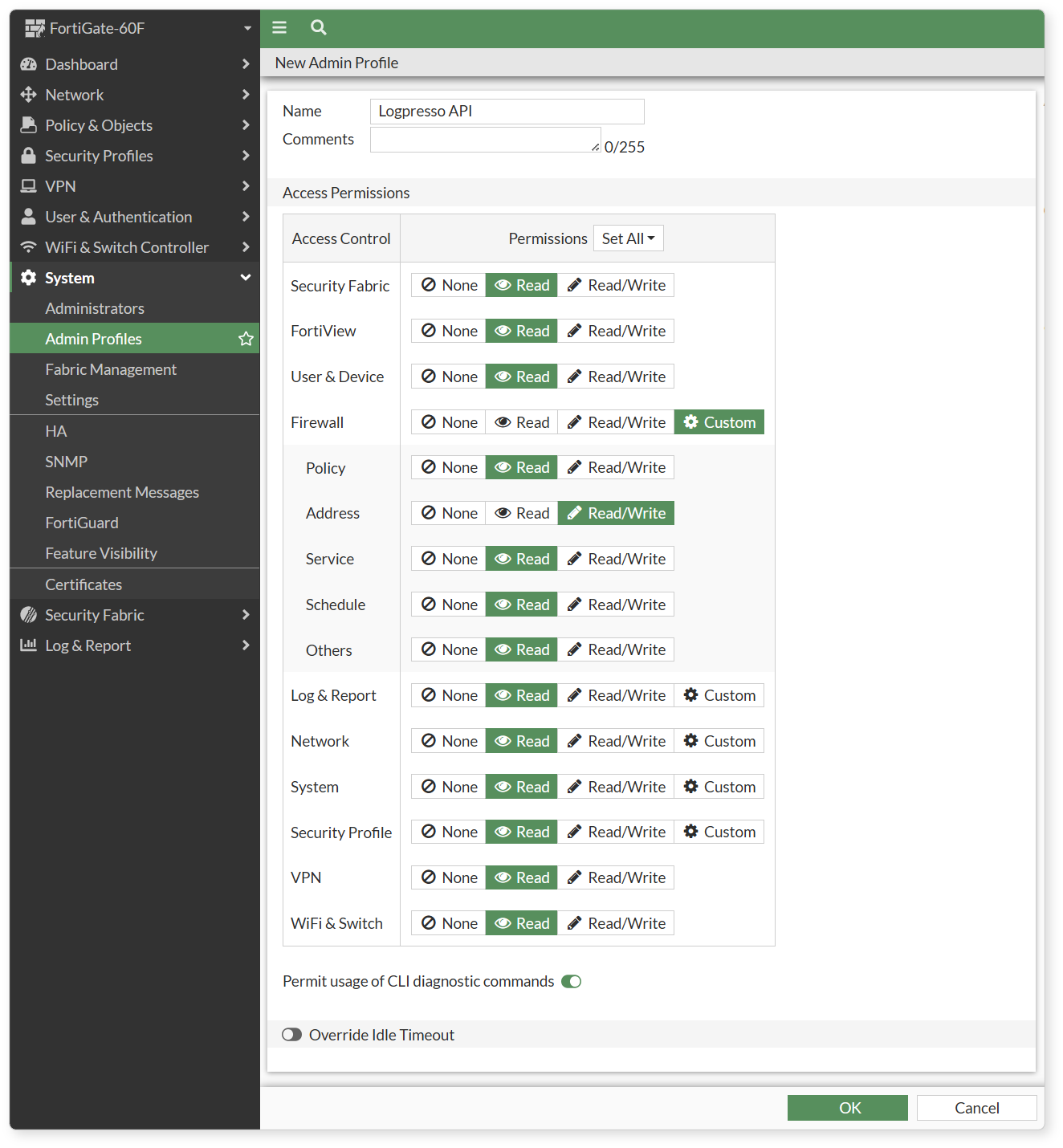
- Most permission scopes should be set to Read Only, but for block integration, Firewall > Address must be set to Read-Write.
FortiGate Account Configuration
Go to System > Administrators and add a new REST API Admin account.
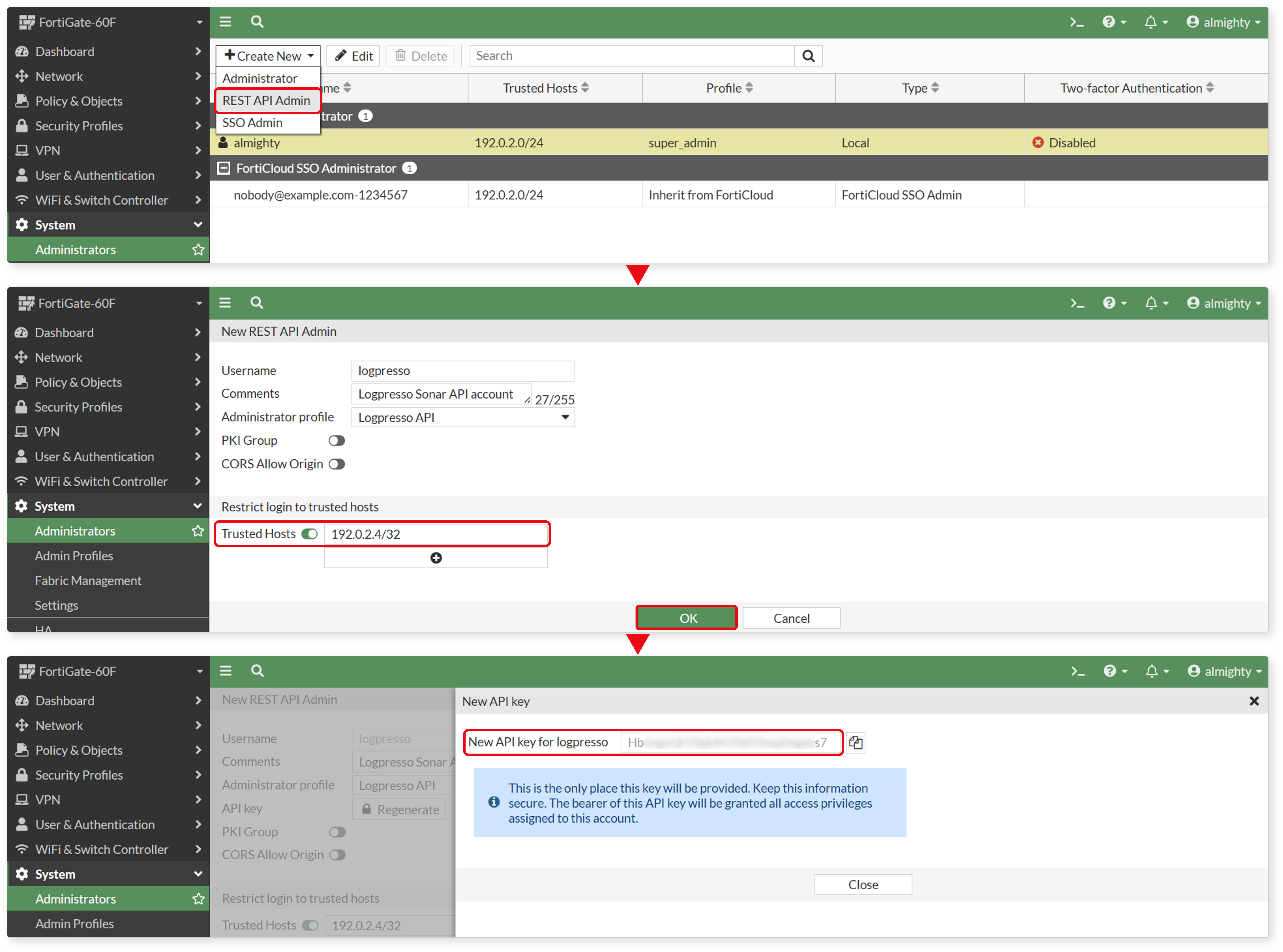
- Disable the PKI Group option during setup.
- Under Trusted Hosts, make sure to include the IP address of the Logpresso Sonar node (use the virtual IP address of the data node pair in a cluster setup).
- Save the generated API key in a secure location. This key will be used when configuring the connection profile.
Log Transmission Settings
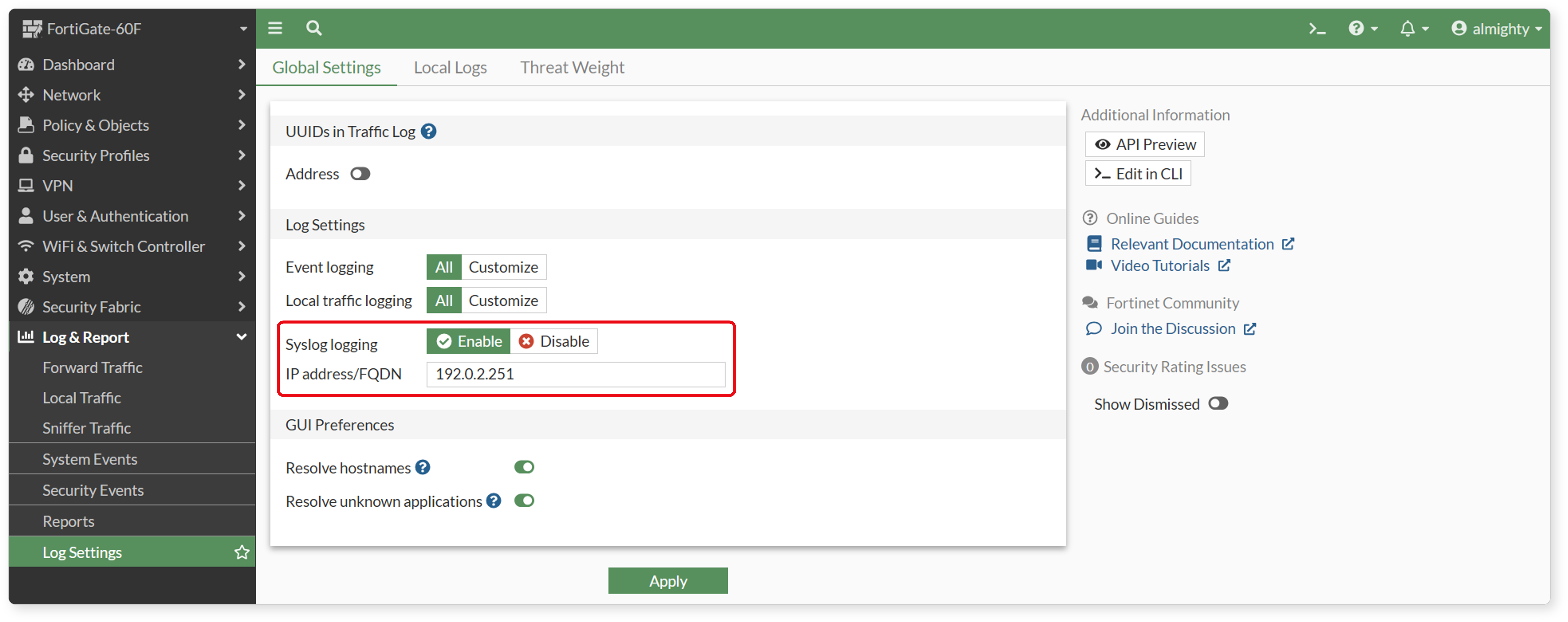
Go to Log & Report > Log Settings, enable Syslog logging, and enter the IP address or FQDN (if DNS is resolvable) of the Logpresso Sonar analysis node.

Address Group Configuration
In Policy & Object > Address, identify or create an address group that Logpresso Sonar can use to add or remove IP addresses for blocking. Then, configure a rule in Policy & Object > Policy that uses this address group as the source or destination, depending on your blocking purpose.
Configure Connection Profile
Refer to this document to add a new connection profile.
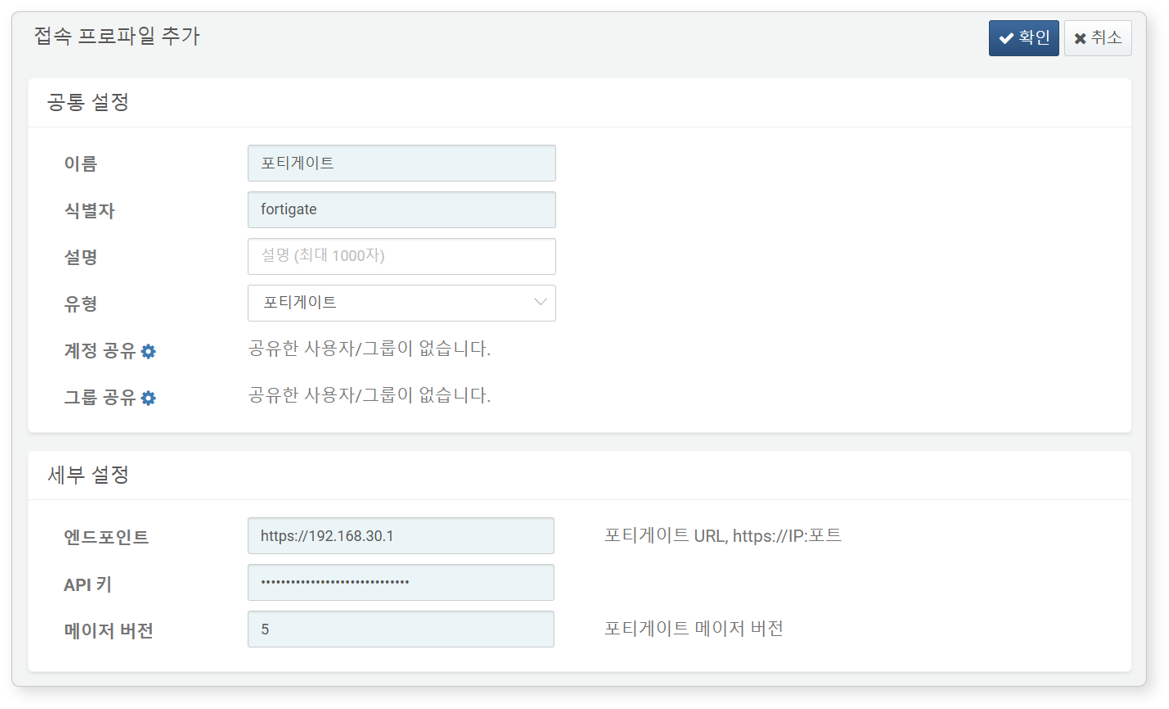
Required fields for configuration:
- Name: Unique name to identify the profile.
- Identifier: Unique key used in Logpresso queries.
- Type: Select
FortiGate. - Endpoint: The FortiGate web console URL (must start with https://).
- API Key: API key generated for FortiGate access.
- Major Version: Major version of FortiOS installed on the device (default: 5; supported since version 1.3.2502.1).
- For example, if FortiOS version is 7.2.11, enter
7. The major version affects how commands like fortigate-src-stats and fortigate-dst-stats commands are executed.
- For example, if FortiOS version is 7.2.11, enter
Block Integration Configuration
To automatically block the IP address of detected attackers in real time or batch detection scenarios, refer to this document to configure block integration.
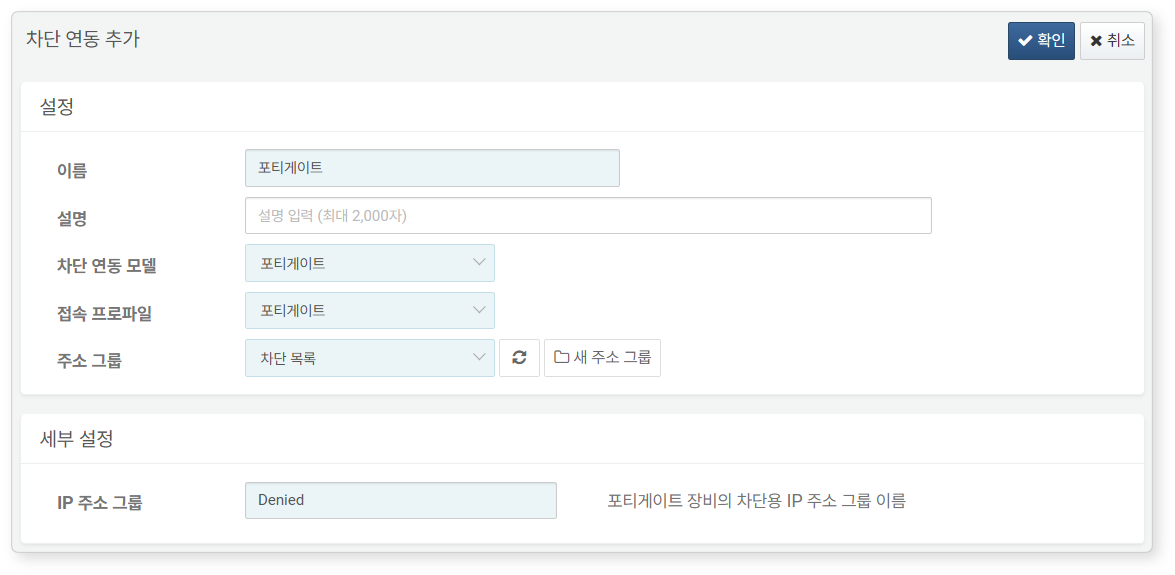
Required fields for configuration:
- Name: Unique name to identify the integration.
- Integration Model: Select
FortiGate. - Connection Profile: Select the pre-configured connection profile.
- Address Group: The address group where IPs to be blocked will be added.
- IP Address Group: Name of the Address Group object configured in FortiGate.
Logger Configuration
Refer to the Loggers to add a logger. The default dashboards and datasets use tables prefixed with FW_FORTIGATE.
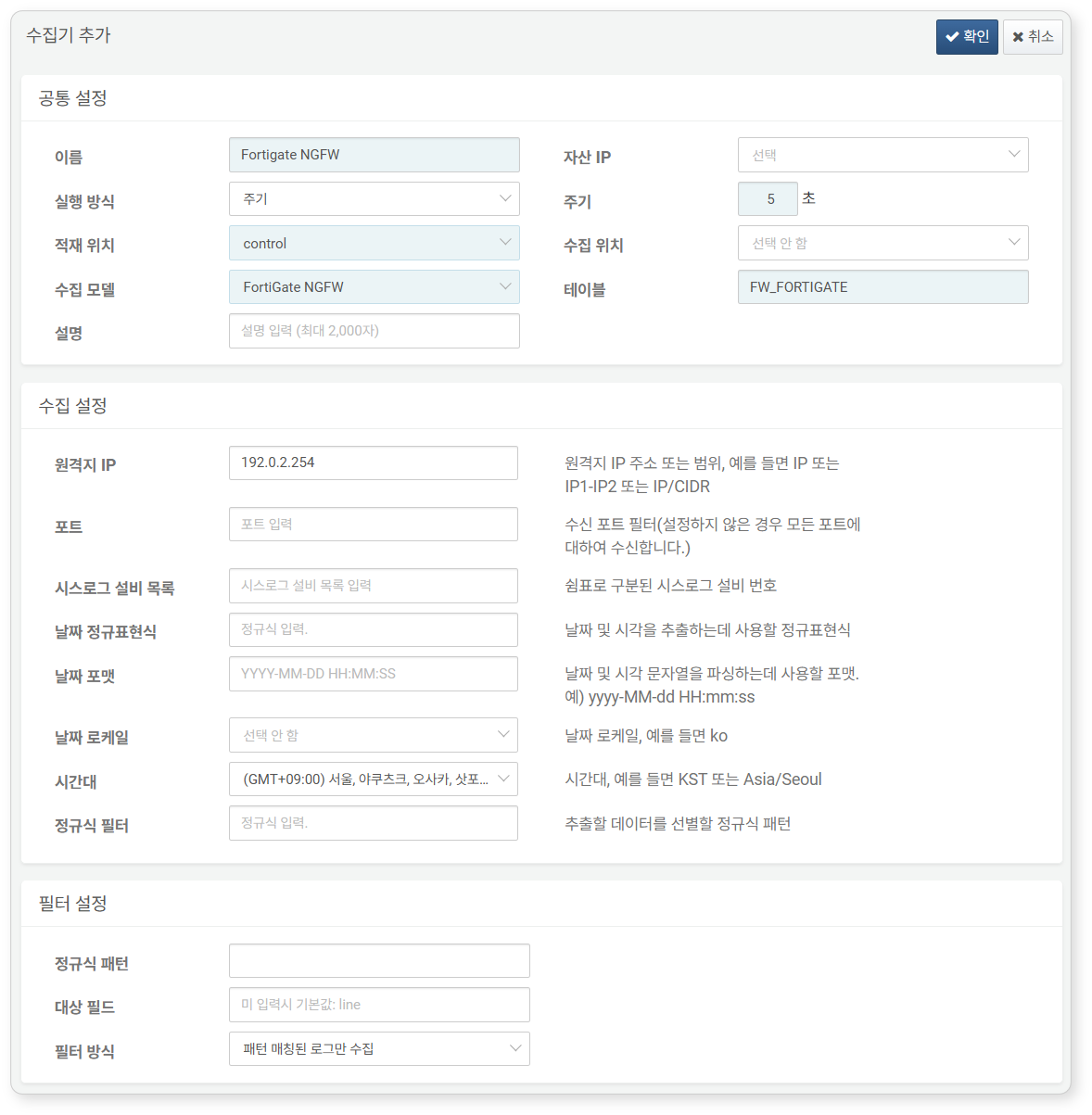
Required fields for configuration:
- Name: Unique name to identify the logger.
- Interval: 5 seconds.
- Load Target / Collection Target: Select an appropriate node based on the Logpresso platform architecture.
- Logger Model: Select
Fortigate NGFW. - Table: Enter the name
of the table starting withFW_FORTIGATE`. - Remote IP: IP address of the Syslog client sending FortiGate firewall logs (usually the IP of the FortiGate device).