


Install Guide
Overview
Zendesk is a cloud-based customer support solution that helps manage customer inquiries efficiently. It consolidates requests received through multiple channels—email, chat, phone, and more—and improves customer service through ticket management, automation, and knowledge base features.
Zendesk provides various customer support operation data via its API, including ticket status, agent activity logs, account and user information. Logpresso integrates with the Zendesk API to provide centralized monitoring of support operations and enables analysis of ticket performance and agent activities.
Generate a Zendesk API Token
-
Log in to your Zendesk account and click the gear icon in the top-right corner. From the popup menu, select Admin Center.
-
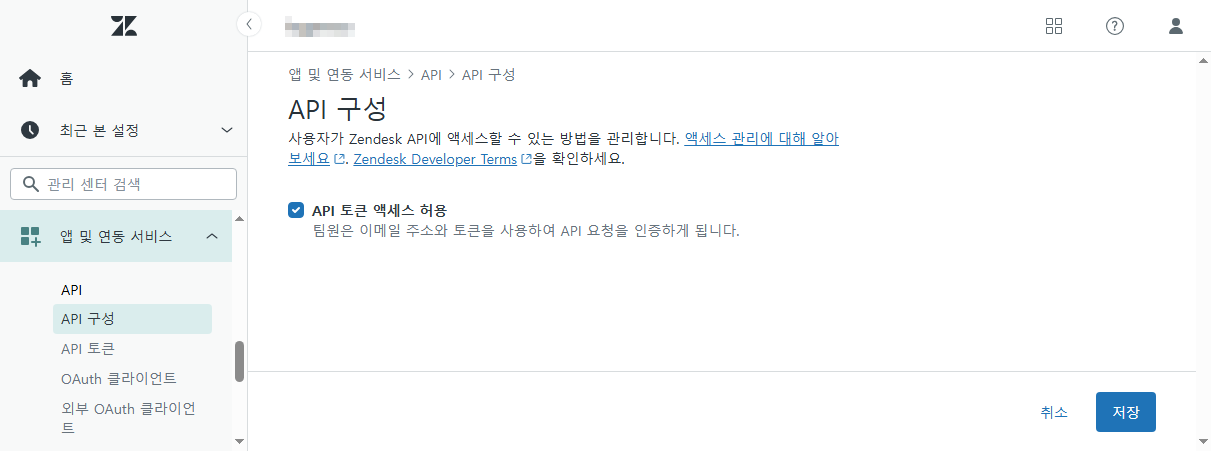
In the left-hand menu, click Apps and Integrations, then go to the API section and click API Settings. Enable Token Access under the API access settings.
-
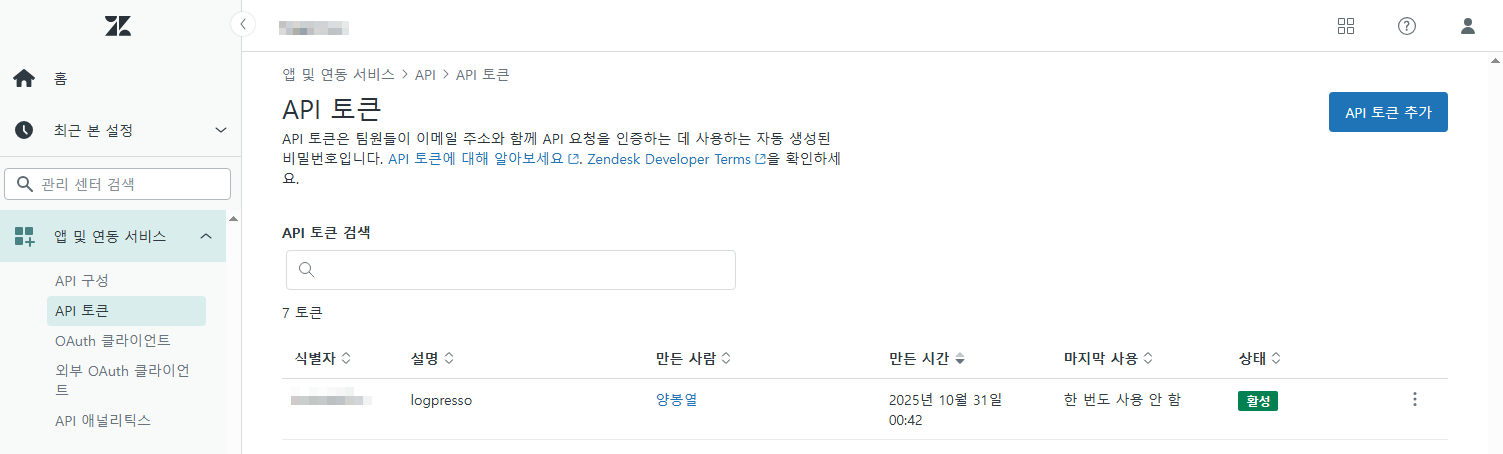
Click the API Tokens tab, then click the Add API Token button at the top right.
-
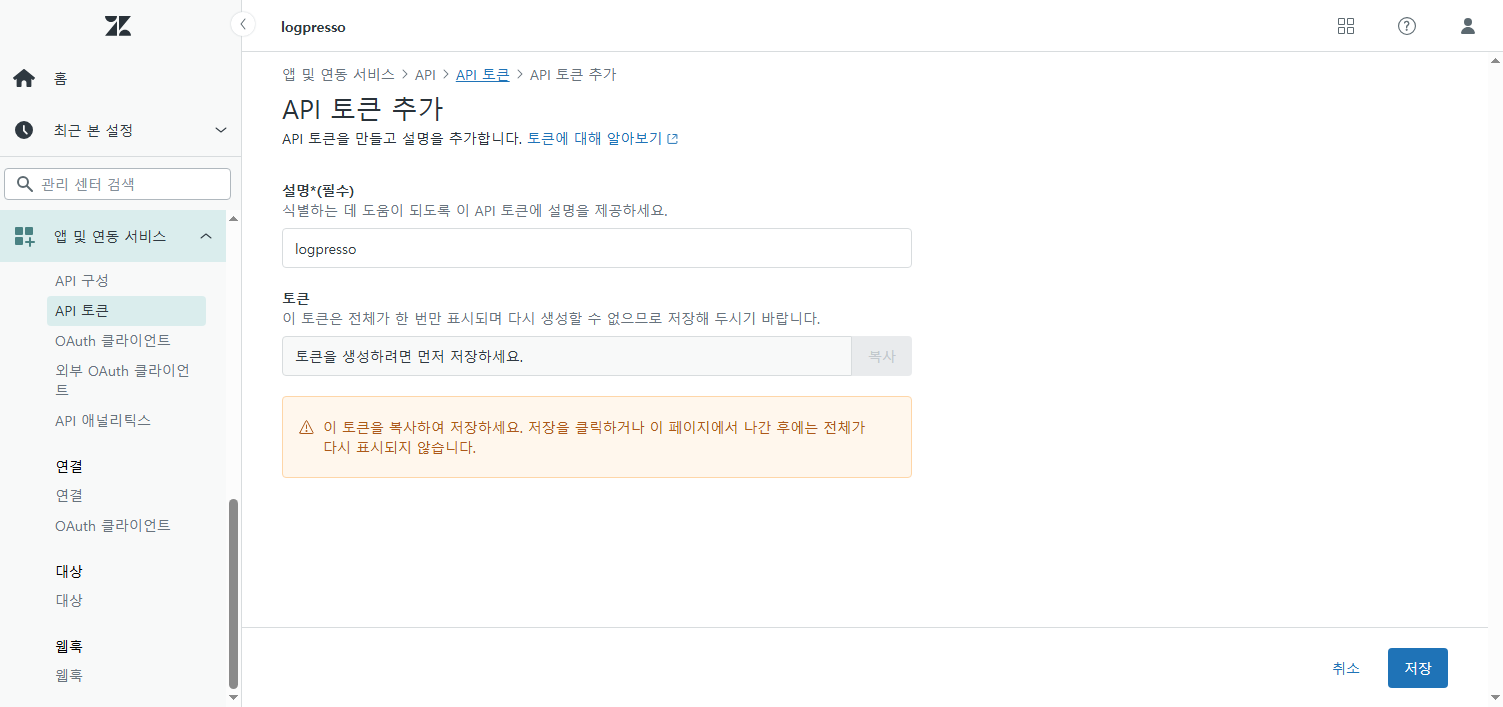
In the Add API Token screen, enter "logpresso" as the description and click Save.
-
Your API token will be displayed. Copy and store it securely—you will need this token when configuring the connection profile in Logpresso.
Configuring the Logpresso Connection Profile
Refer to this guide to add a new connection profile in Logpresso.
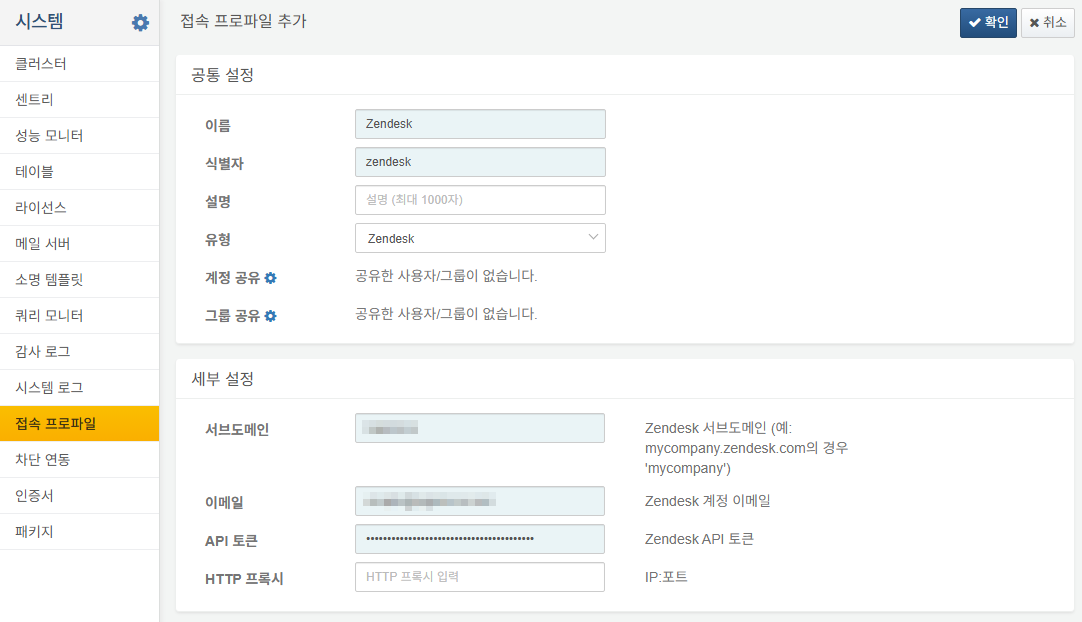
Fill in the following required fields during profile setup:
- Name: A unique name to identify this connection profile.
- Identifier: A unique ID used in queries to refer to this profile.
- Type: Select
Zendesk. - Subdomain: Your Zendesk subdomain (e.g., for mycompany.zendesk.com, enter
mycompany) - Email: The email address used to log in to Zendesk.
- API Token: The API token you generated in the previous step.