User Guide
Query Usage
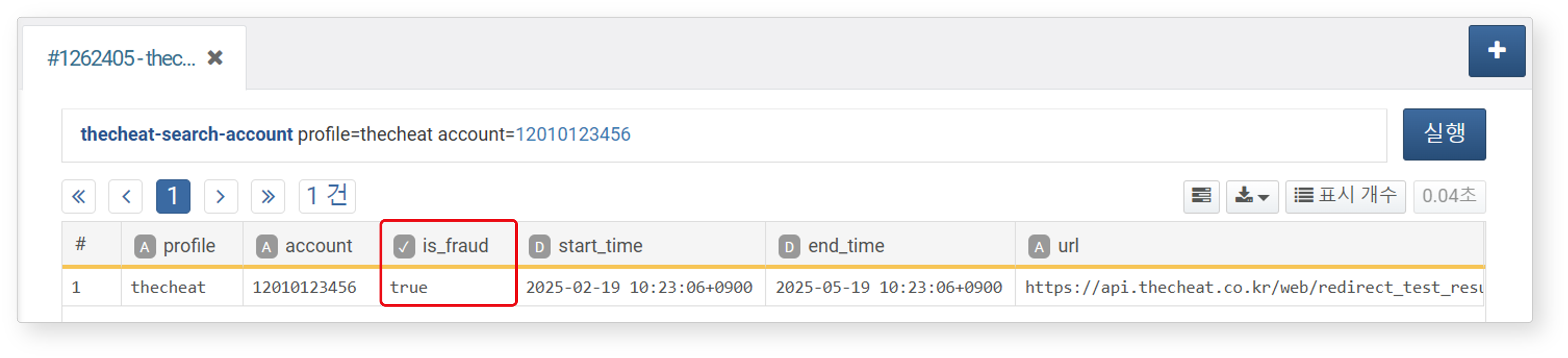
As shown below, you can check for fraudulent accounts by entering an account number using the account option of the thecheat-search-account command. If the is_fraud field value is true, the account can be identified as fraudulent. For the thecheat-search-phone command, refer to this document.
profile: Connection profile identifieraccount: Account number to query
To batch process multiple account numbers, use the thecheat-search-account-batch query command.
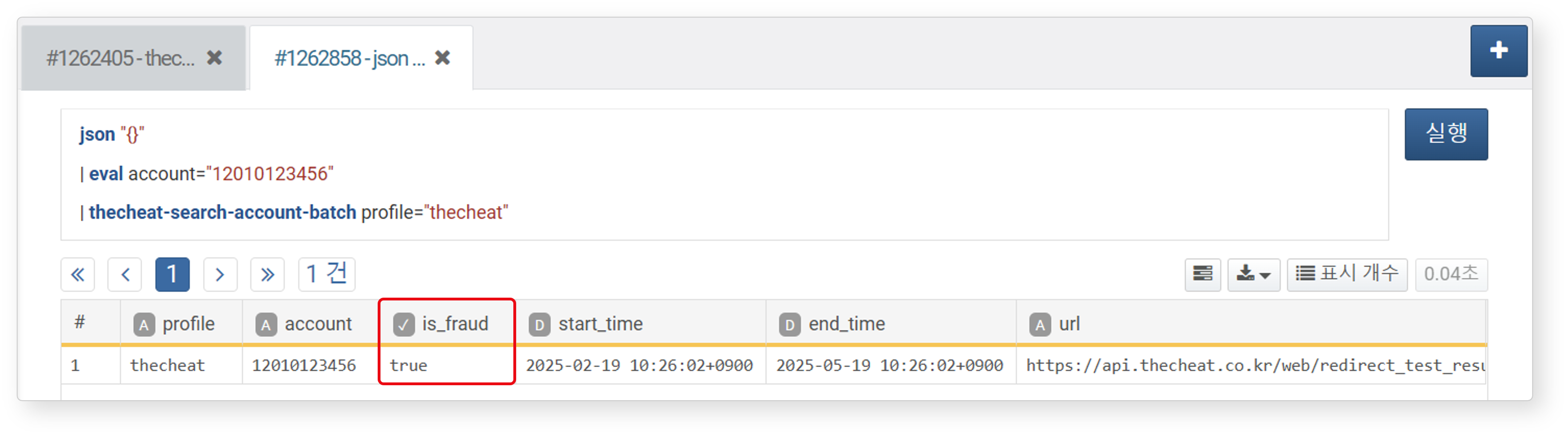
For batch processing, you can use commands such as table instead of a single record, as shown below.
# ACCOUNT: Table containing the account field
table duration=10m ACCOUNT
| thecheat-search-account-batch profile="thecheat"
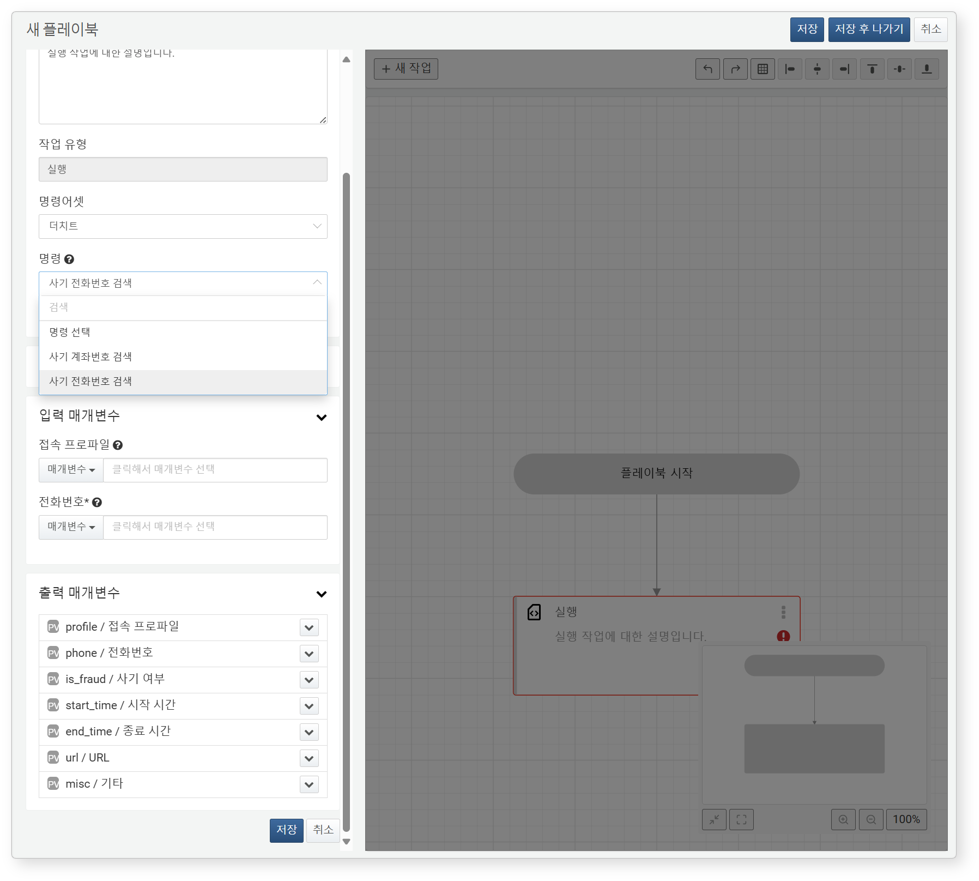
Playbook Task Usage
You can perform Fraud Account Number Search or Fraud Phone Number Search tasks in Playbooks. It takes an account number or phone number as the account or phone parameter and outputs a boolean value in is_fraud.