


Install Guide
Create a Tatum CNAPP Account
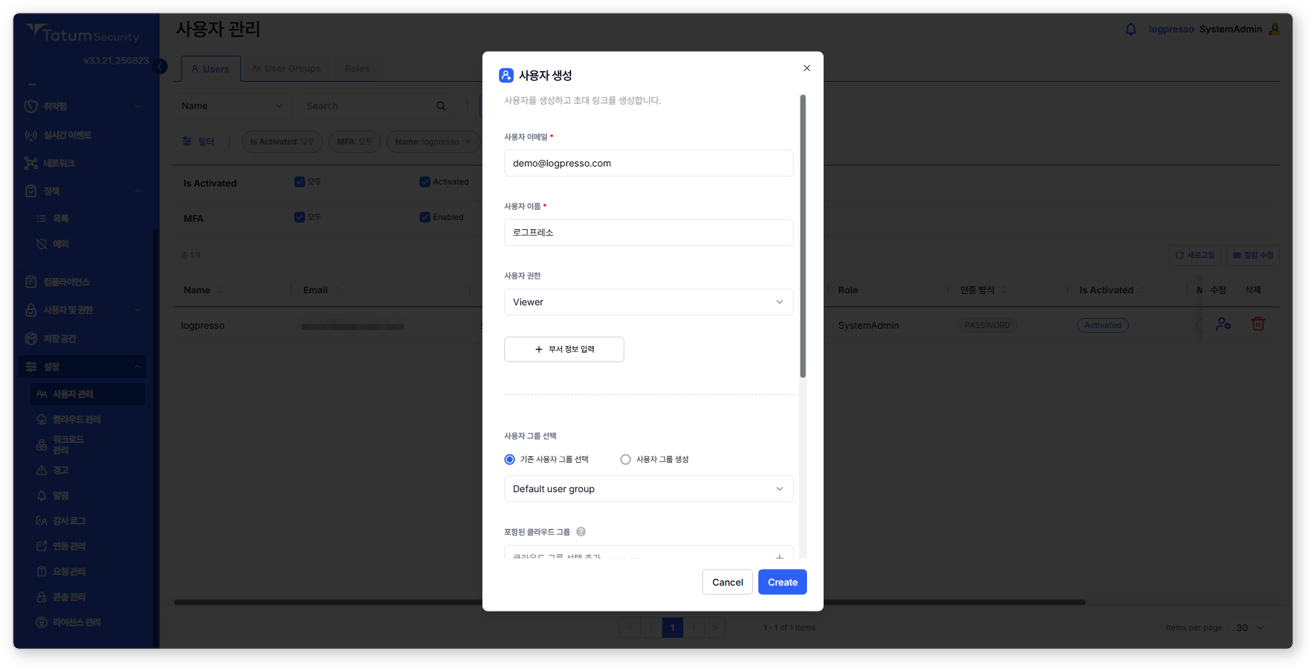
After logging into Tatum CNAPP, go to Settings > User Management and create an account for Logpresso access with Viewer permissions, as shown below.
Configure a Logpresso Connection Profile
Refer to the 접속 프로파일 to add a new connection profile.
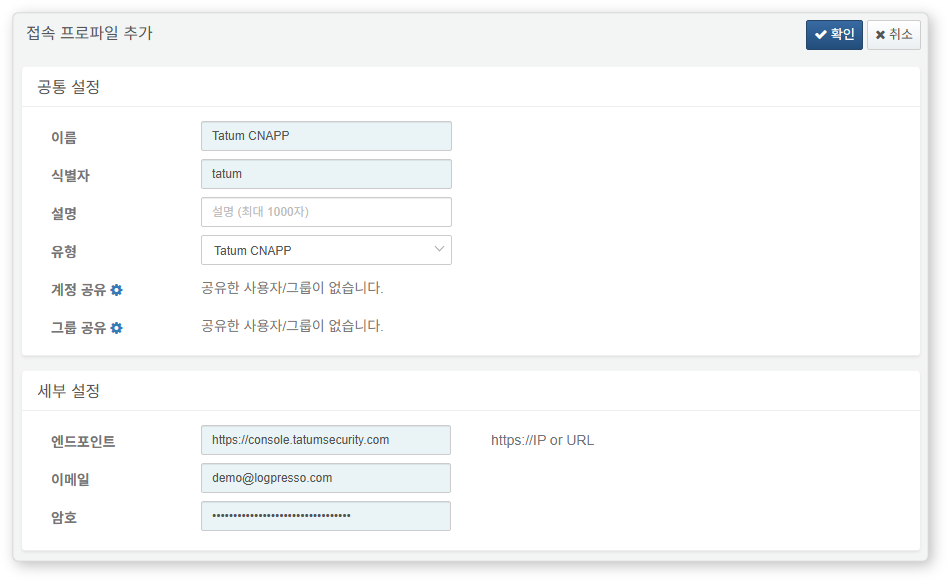
The following fields are required when configuring the connection profile:
- Name: A unique name to identify this profile.
- Identifier: A unique key to reference the profile in queries.
- Type: Select
Tatum CNAPP. - Endpoint: Enter
https://console.tatumsecurity.com - Email: Email address used for login
- Password: Password used for login