Install Guide
How to Get a Recorded Future API Key
-
Navigate to the Integration Center Go to the Integration Center from the top menu and select Recorded Future API.

-
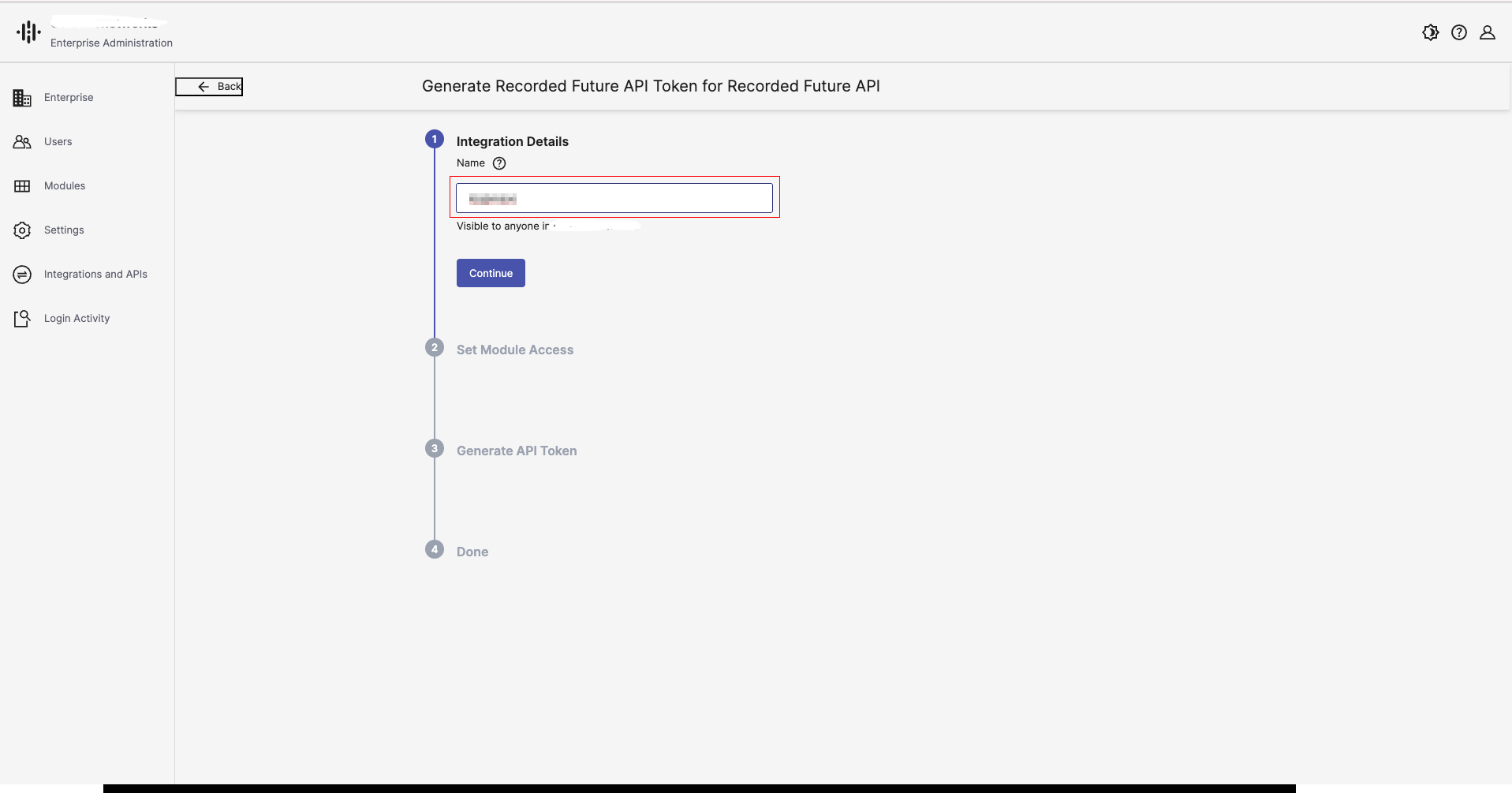
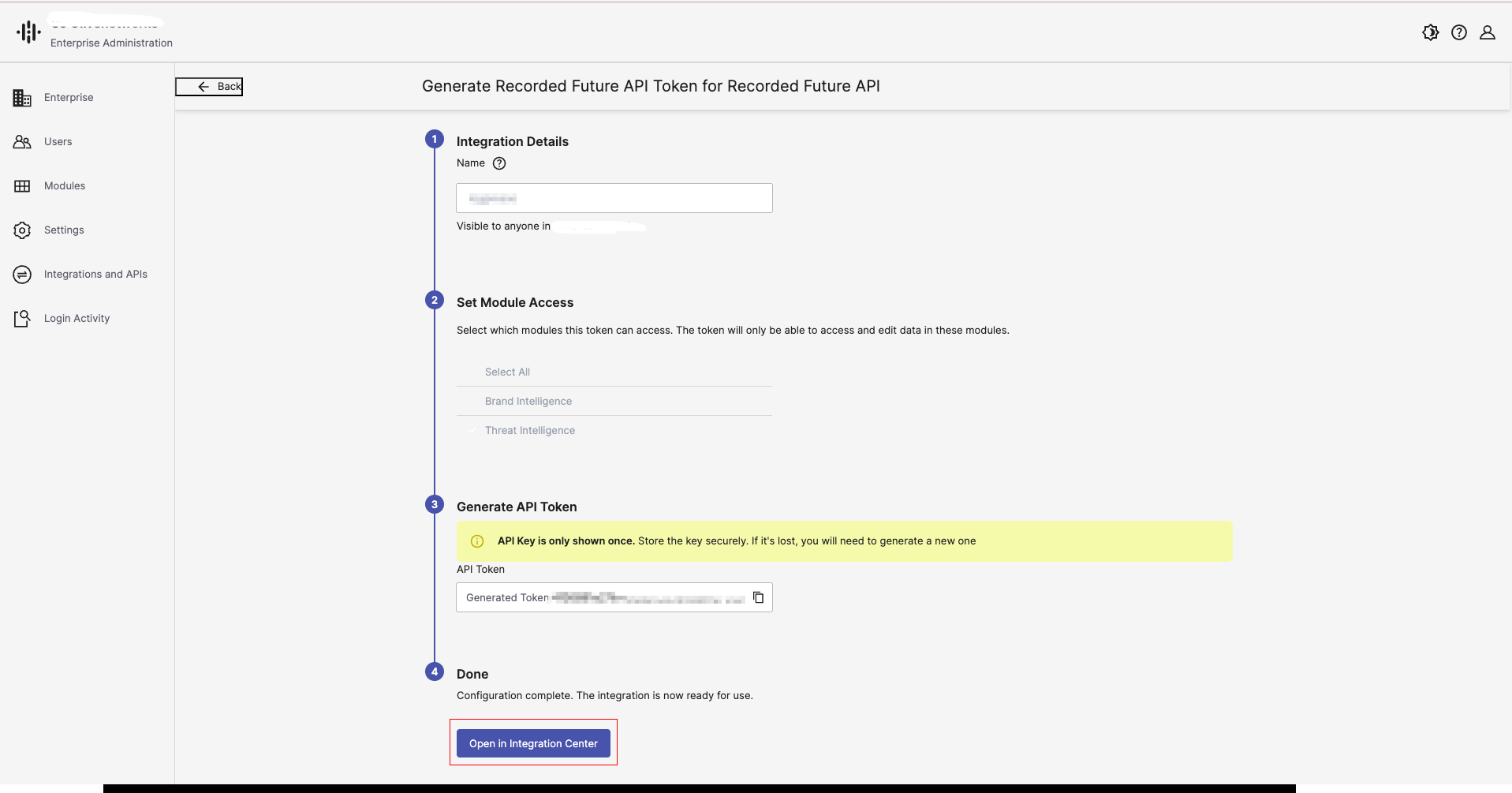
Enter Integration Details When the Enterprise Administration window opens, enter the name for the integration as shown below.
-
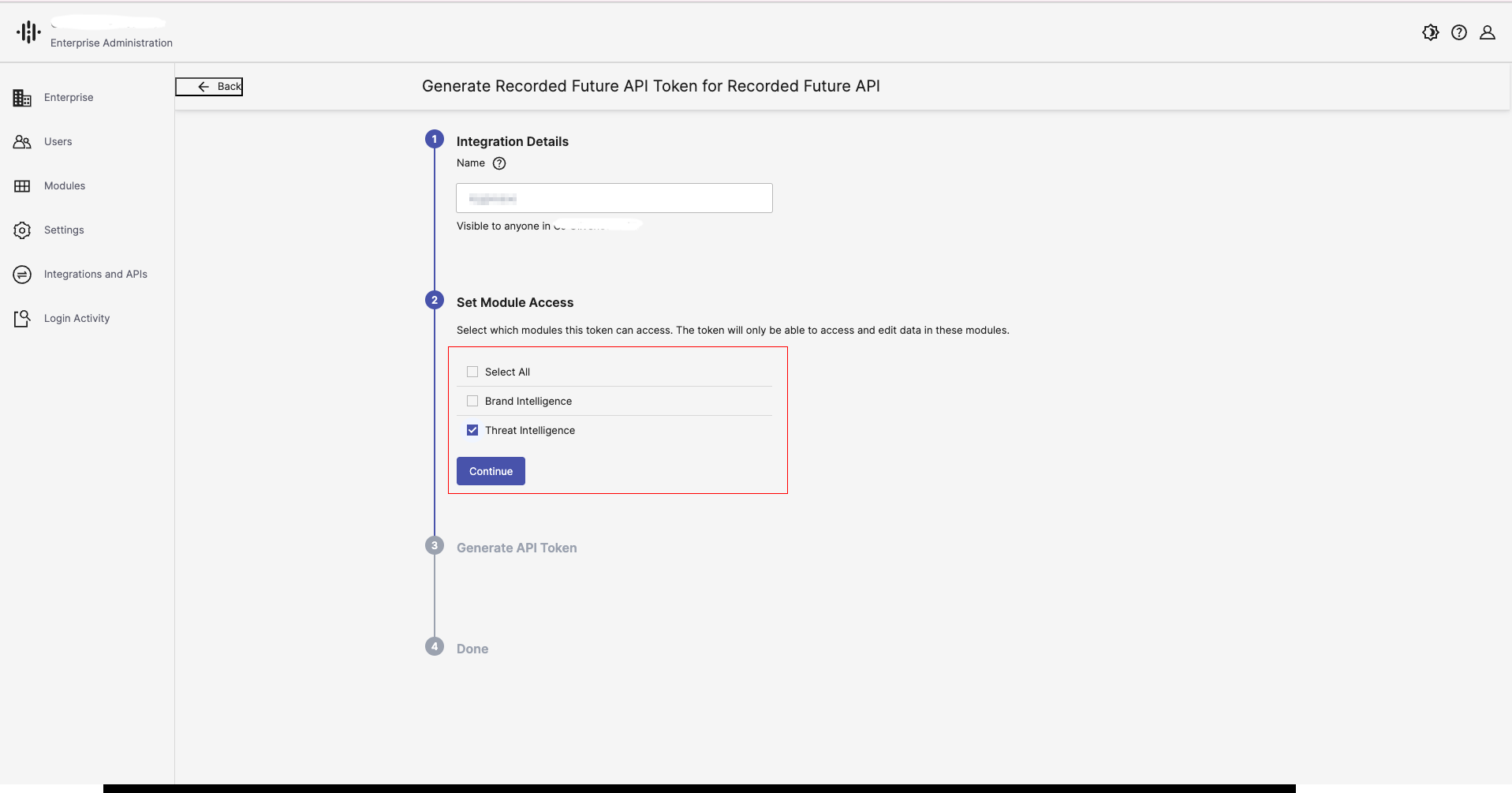
Select the license module provided by Recorded Future.
-
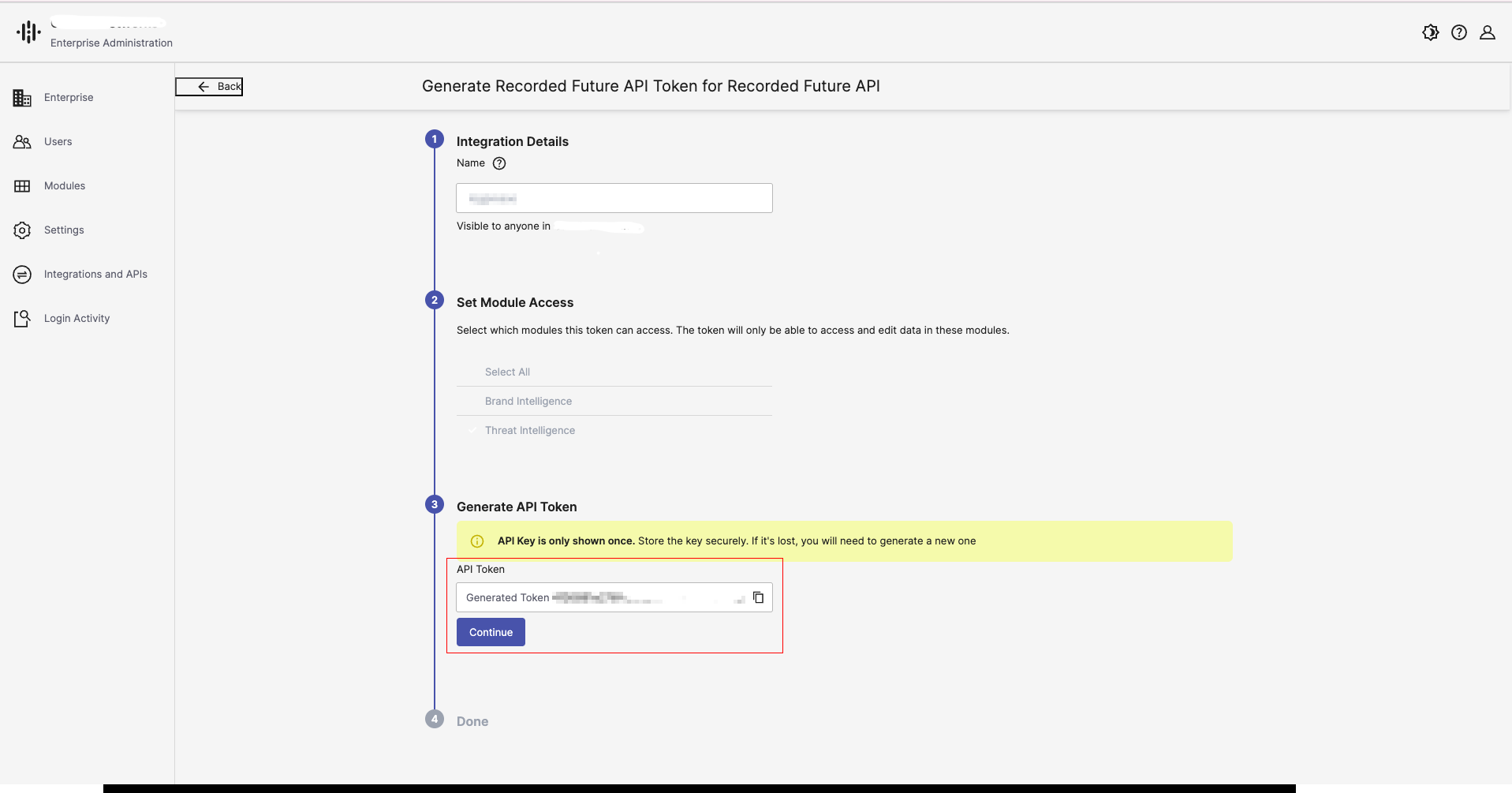
Generate API Token Generate the API Token.
Important : Save the generated token value in a secure location immediately. Once the setup is complete, you will not be able to view this token again.
- Completion The API Token generation is now complete.
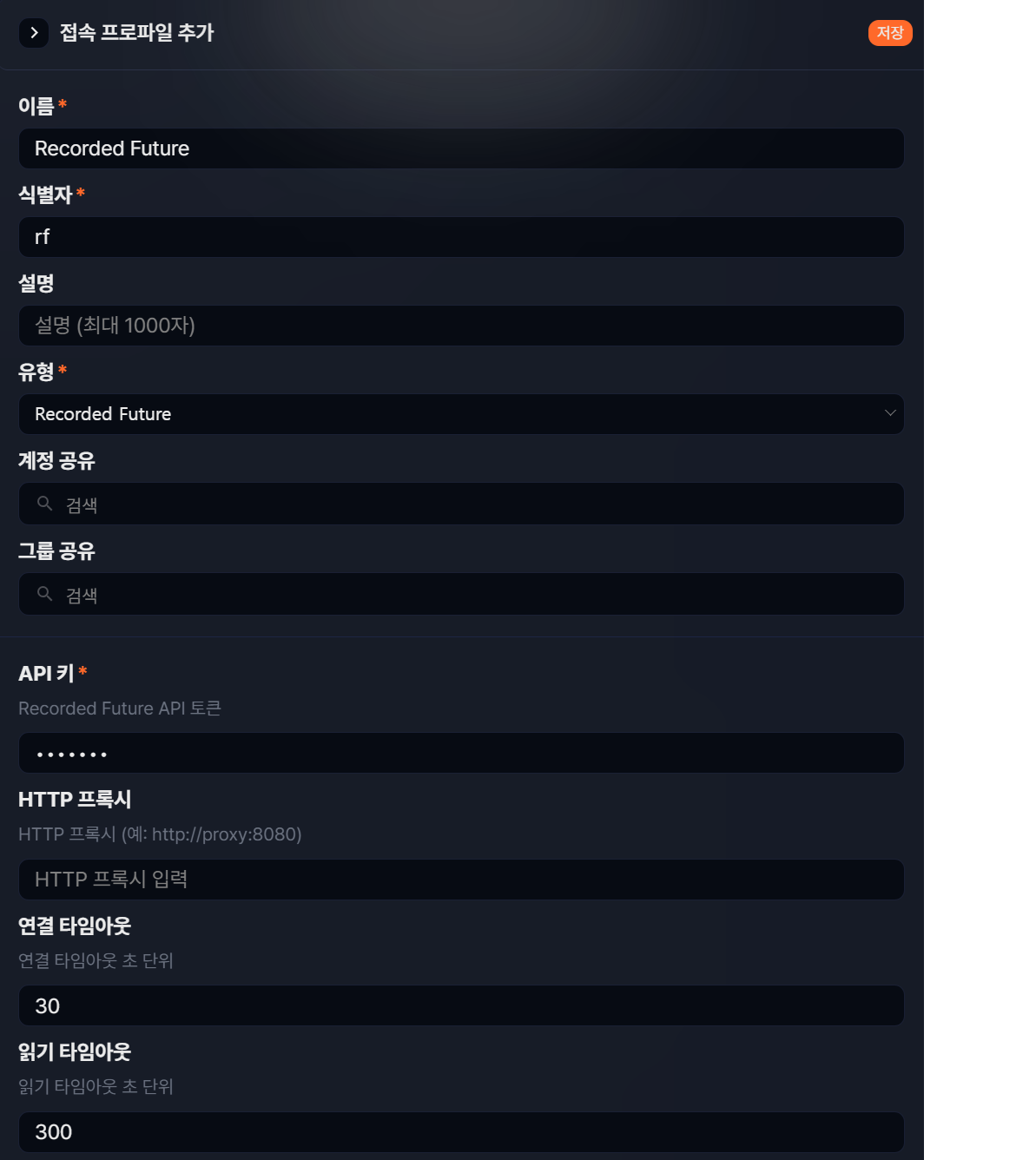
Set Up Connect Profile
Go to Settings > Connect Profiles and click the Add button. Enter the name, identifier, and the API key.