Install Guide
Generate a Google Gemini API Key
-
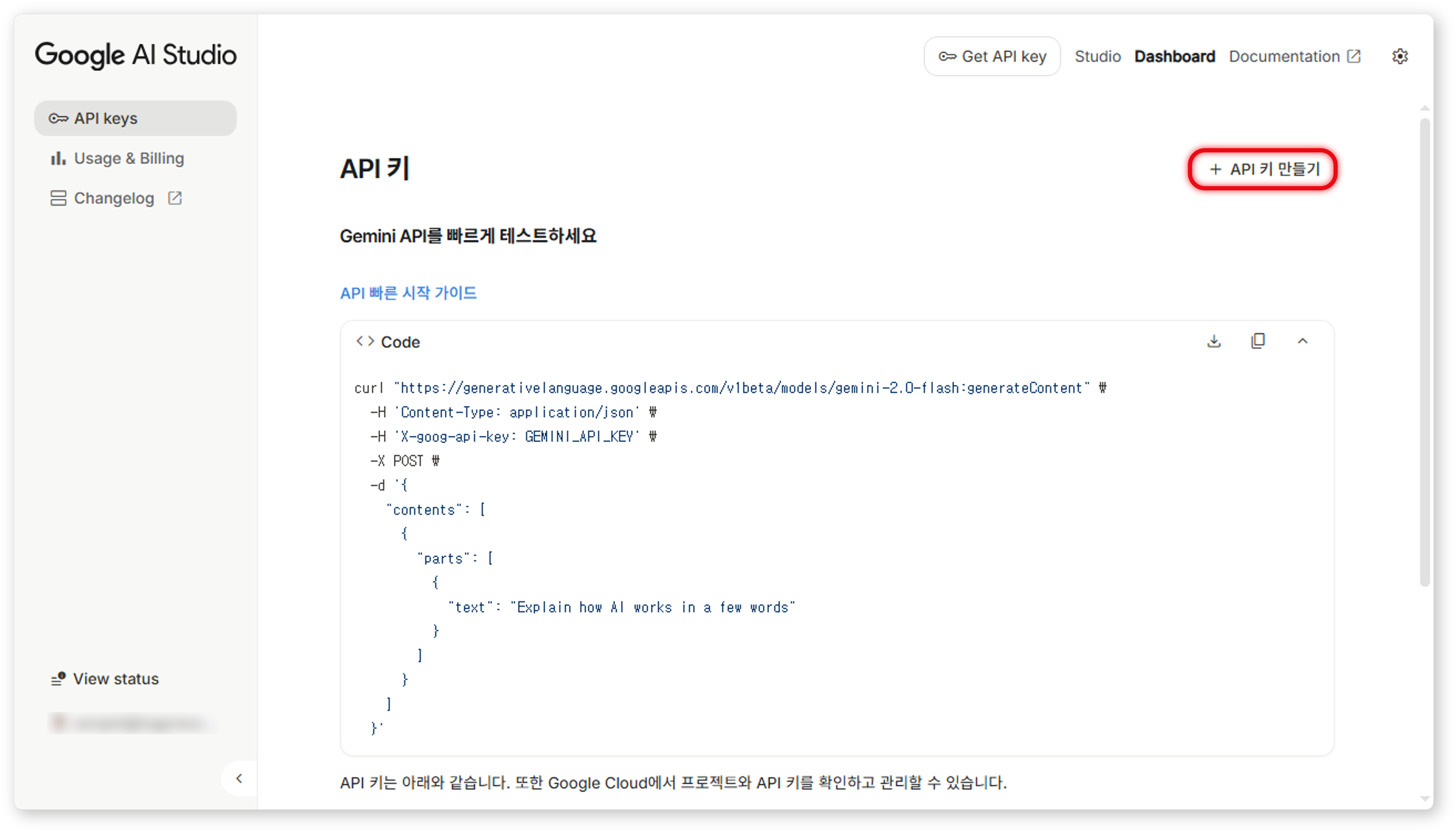
Visit the Google AI Studio website and click the Create API Key button.
-
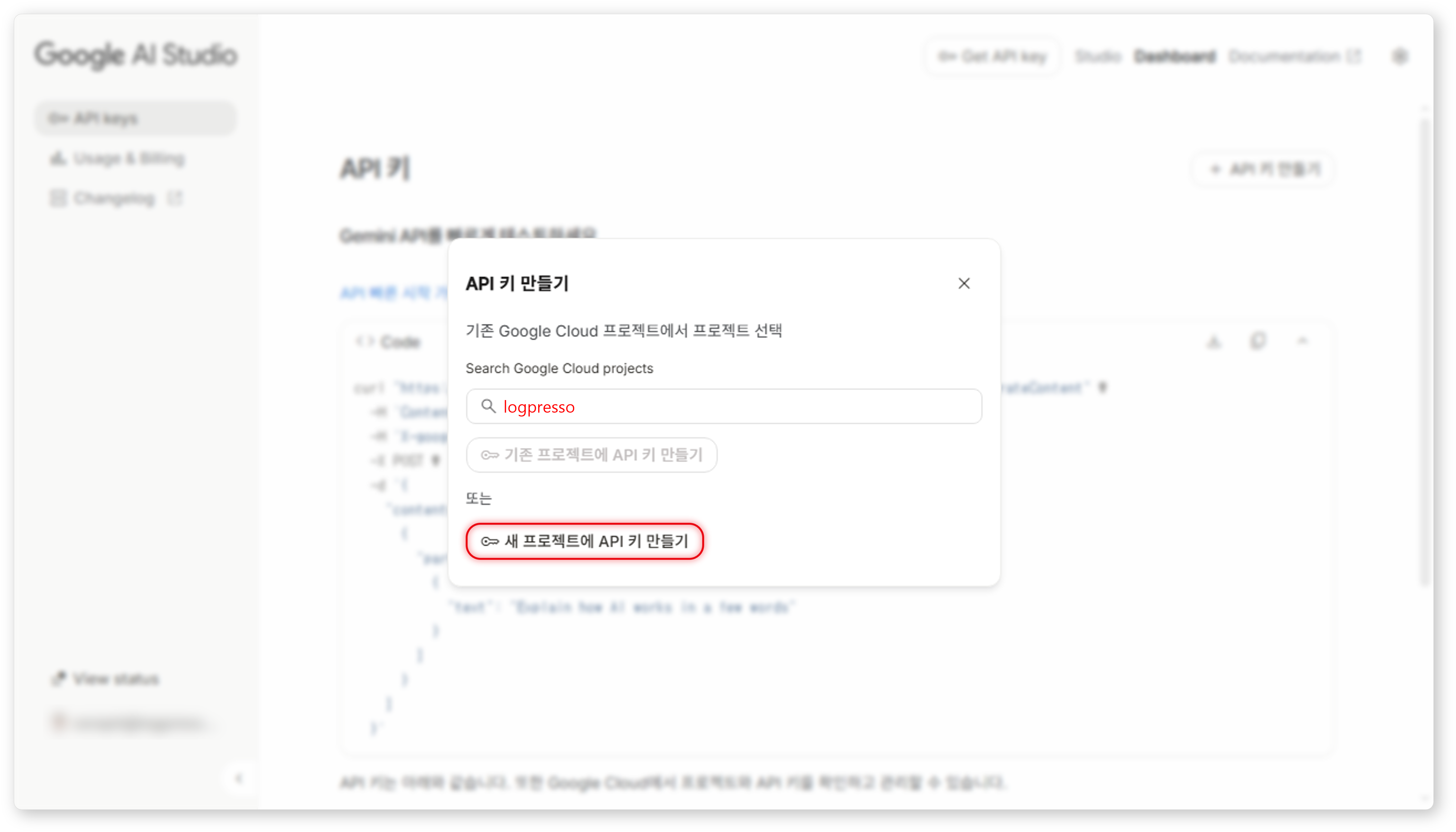
Create a new logpresso project in Google Cloud, and click the Create API Key for New Project button.
-
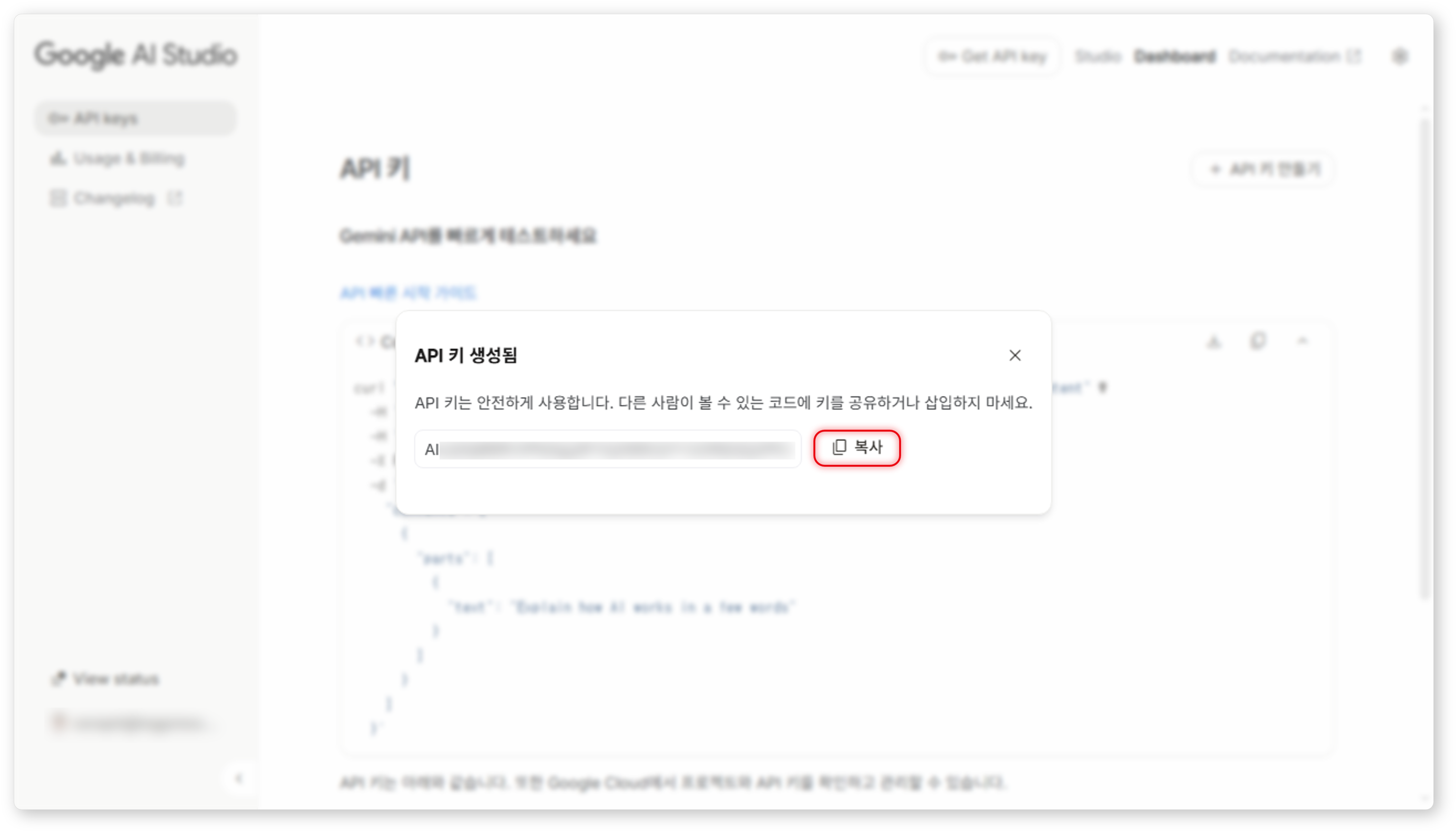
Copy and store the generated API key in a secure location.
Configure a Logpresso Connect Profile
Refer to the 접속 프로파일 to add a new connection profile.
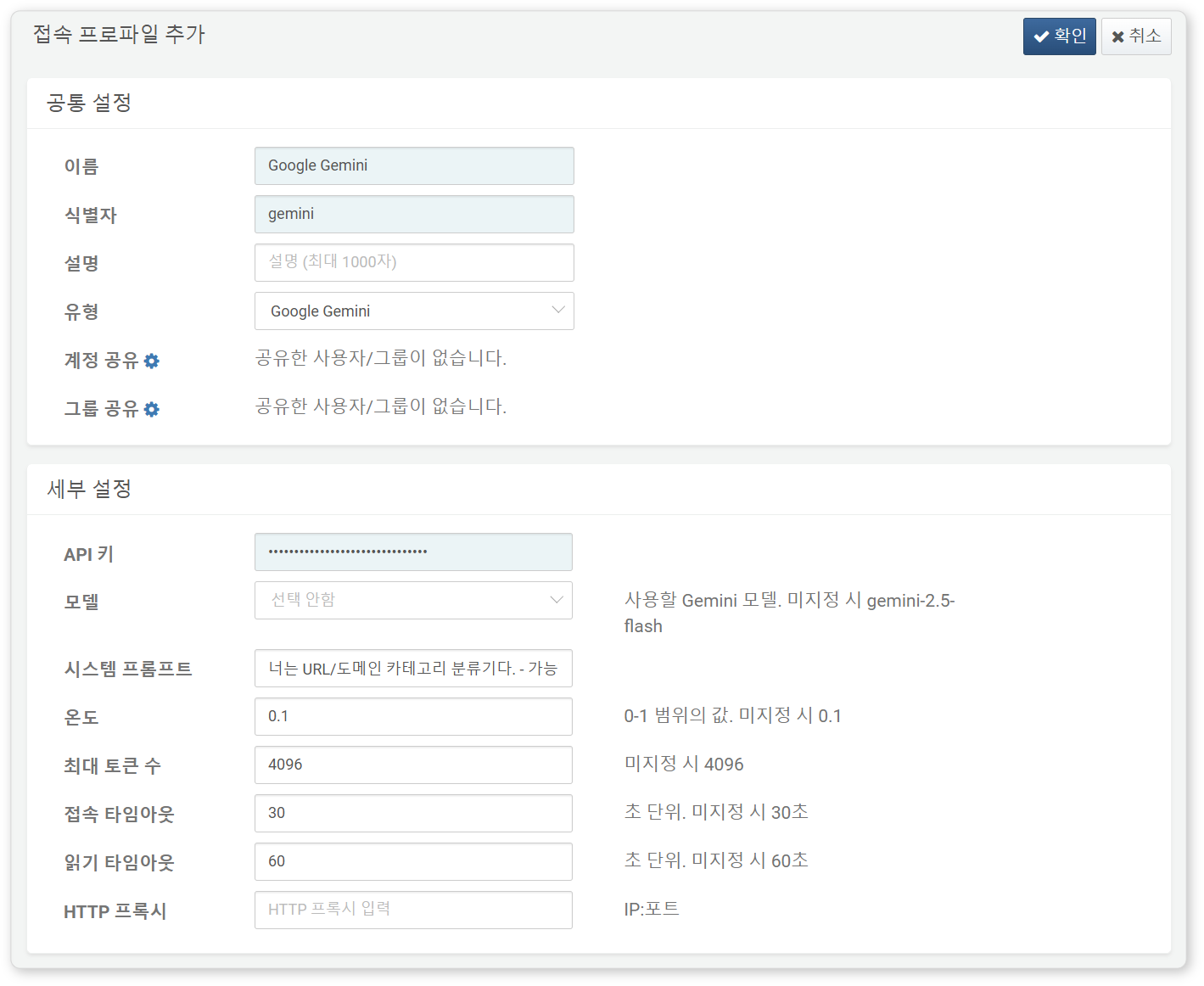
The following fields are required when configuring the connection profile:
- Name: A unique name to identify this profile.
- Identifier: A unique key to reference the profile in queries.
- Type: Select
Google Gemini. - API Key: The API key issued by Google AI Studio.
- Model: Select the Gemini model to use (default:
gemini-1.5-flash). - Supported models: gemini-2.5-flash, gemini-2.5-pro, gemini-2.5-flash-lite, gemini-2.0-flash, gemini-2.0-flash-lite
- System Prompt: A shared instruction prepended to every prompt. A blank line is appended after this prompt before user questions. Useful for enforcing a consistent response format or role for the AI.
- Temperature: Closer to 0 yields consistent and predictable answers, closer to 1 yields more creative and random responses (default: 0.1, range: 0.0–1.0).
- Max Tokens: Maximum response length (default: 4096, range: 100–8192).
- Connection Timeout: Time to wait for API connection (default: 30 seconds, range: 10–120 seconds).
- Read Timeout: Time to wait for API response (default: 60 seconds, range: 10–120 seconds).
- HTTP Proxy: Address of a proxy server (default: not set).
Below is an example system prompt for classifying domain names. Line breaks are supported, so you can write multi-line prompts.
You are a URL/domain category classifier.
- Possible labels: portal, news, dev, shopping, social, finance, adult/gambling, government/public, other
- Output format: Return only the label as a single word. No descriptions or markdown.
Test
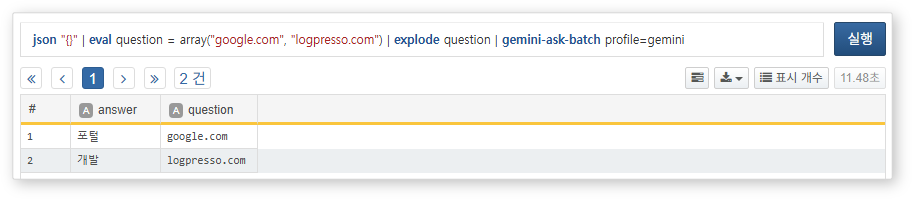
You can now test the Gemini connection by executing the following query:
json "{}"
| eval question = array("google.com", "logpresso.com")
| explode question
| gemini-ask-batch profile=gemini