


Install Guide
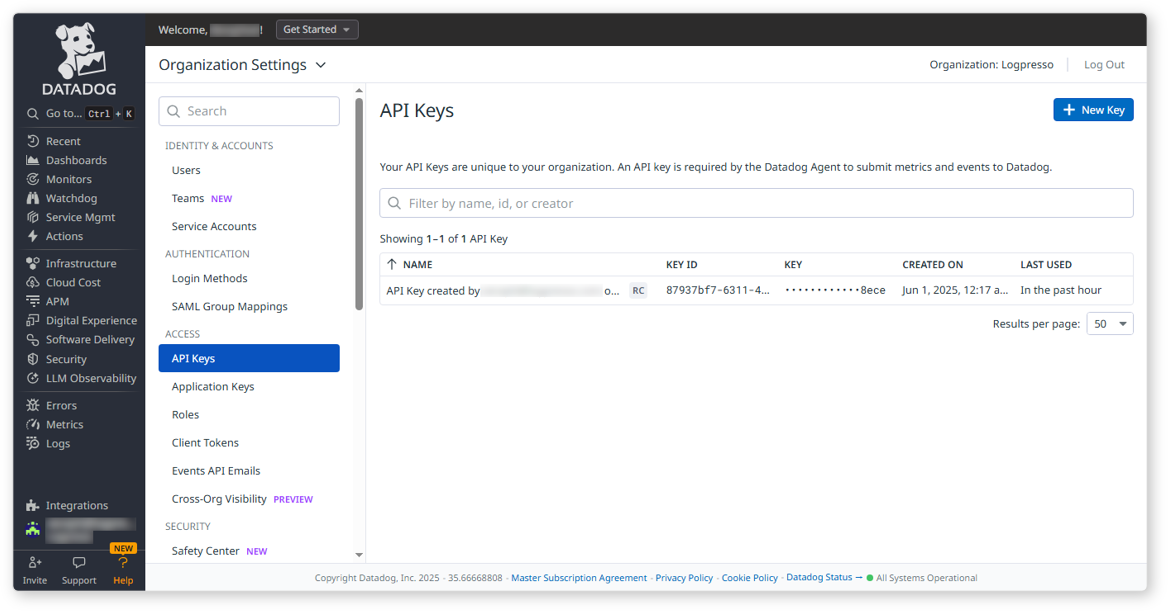
View Datadog API Key
Go to Organization Settings > API Keys and copy the auto-generated API Key. Make sure to copy the masked KEY, not the KEY ID, and store it securely.
Create Datadog Application Key
-
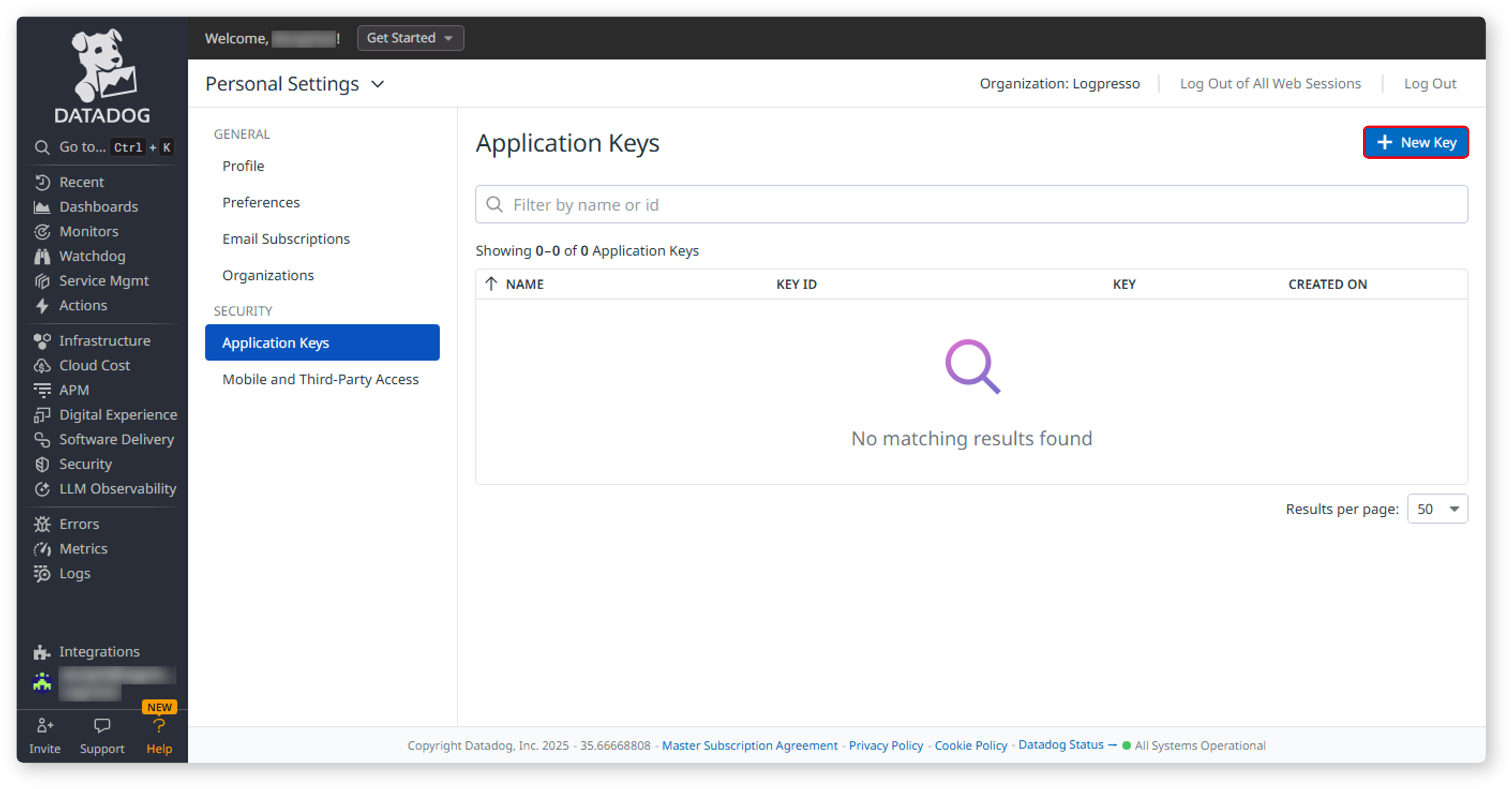
Navigate to Personal Settings > Application Keys and click the New Key button.
-
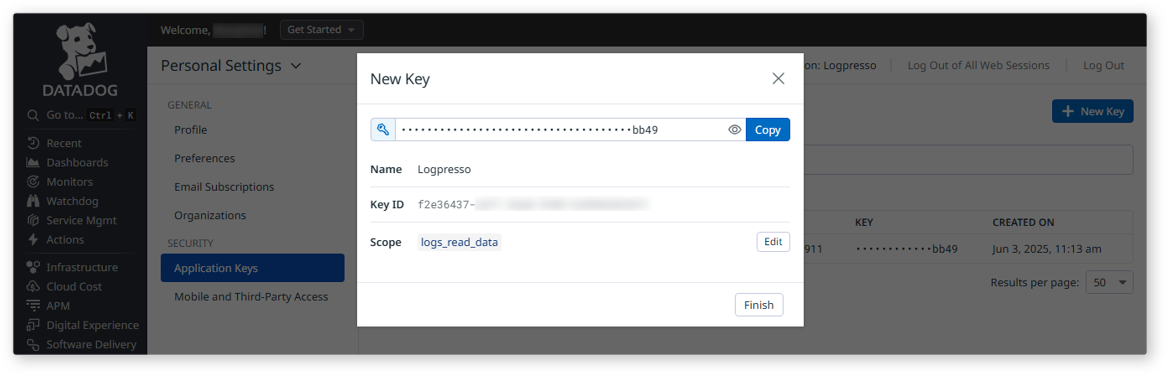
In the New Key dialog, enter a name for the key. You will then be able to copy the Application Key. To enable log searches, only the logs_read_data permission is required. Edit the Scope to grant minimum necessary access.
Configure Logpresso Connect Profile
Refer to this document to add a new connection profile.
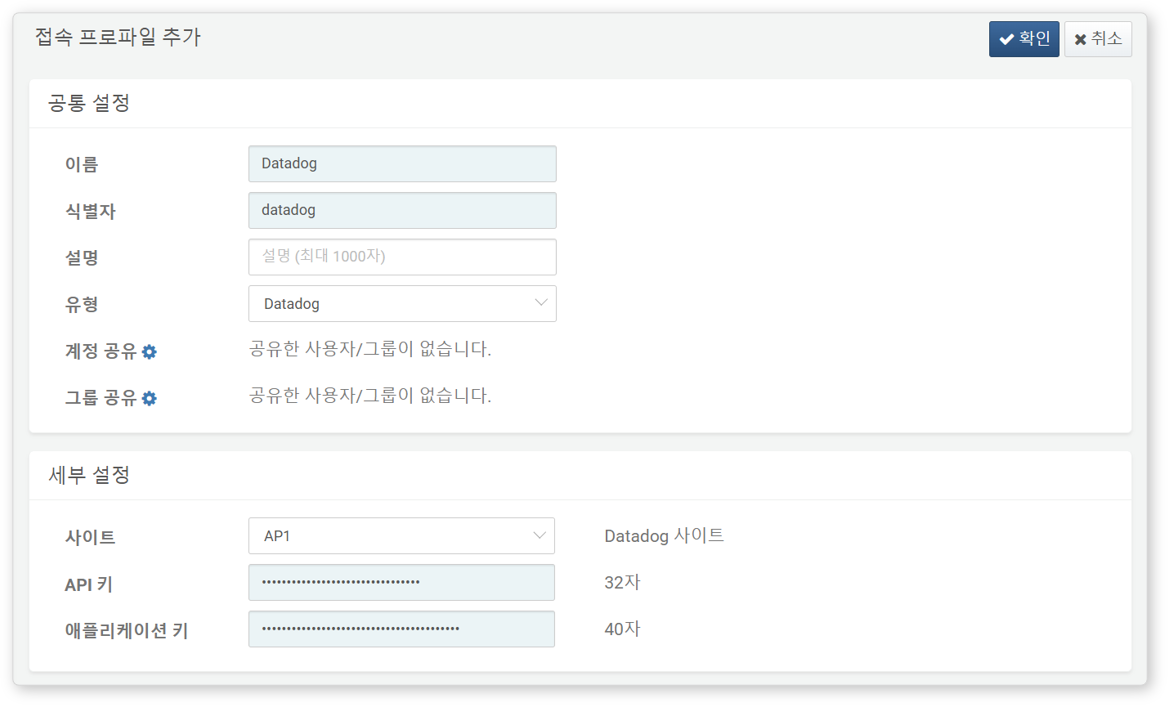
Required fields for configuration:
- Name: A unique name to identify the profile.
- Identifier: A unique key used in Logpresso queries.
- Type: Select
Datadog. - Site: Refer to the Datadog Site Access to determine your region and input accordingly.
- API Key: The KEY value obtained from Organization Settings > API Keys.
- Application Key: The KEY value obtained from Personal Settings > Application Keys.