


Install Guide
Configure Logpresso Collector
Refer to this document to add a new logger. The default dashboards and datasets reference tables prefixed with FW_MERAKI.
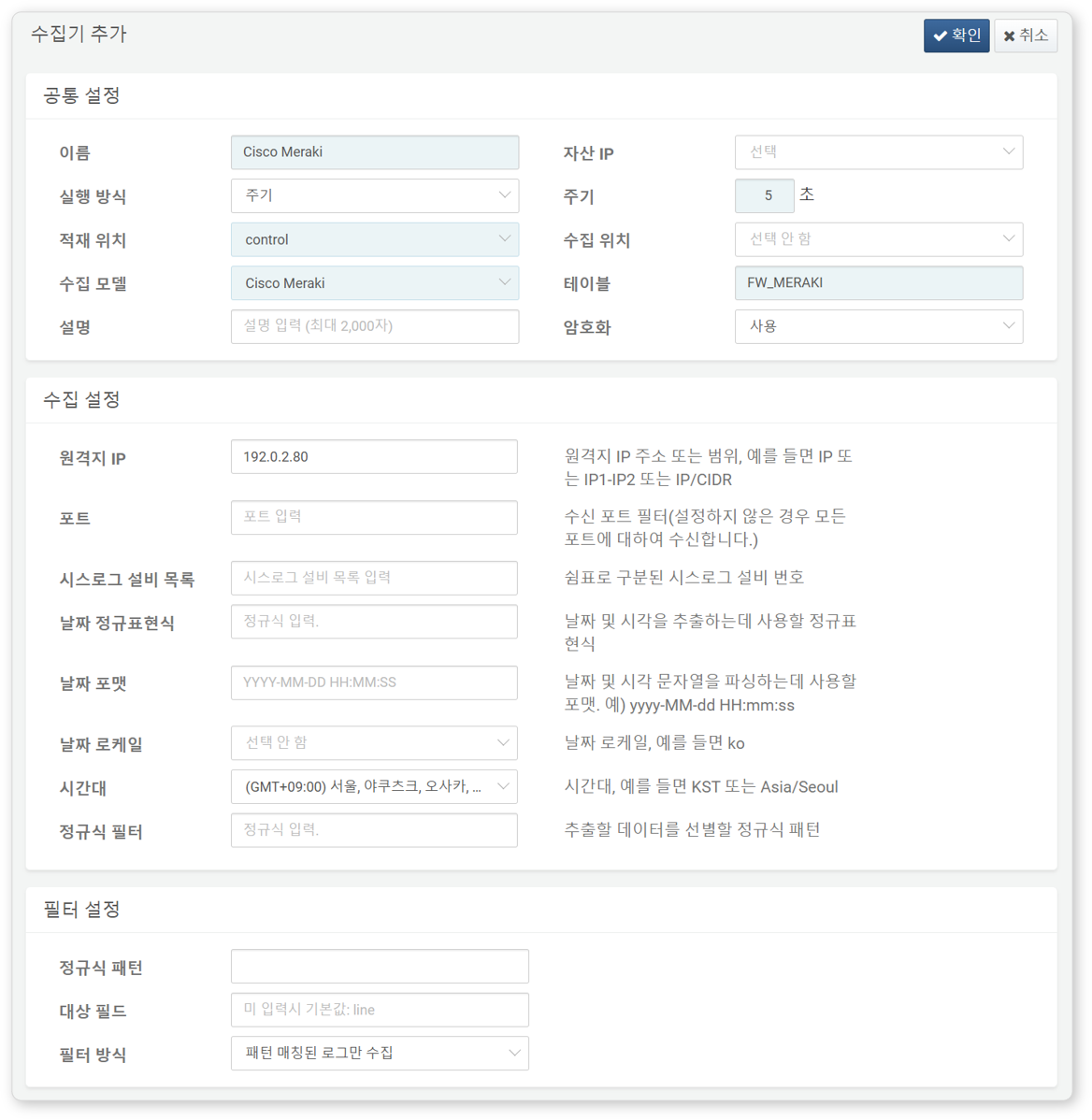
The following fields are required for configuration:
- Name: A unique name to identify the logger.
- Interval: 5 seconds.
- Load Target / Collection Target: Select the appropriate node according to your Logpresso platform architecture.
- Logger Model: Select
Cisco Meraki. - Table: Enter a table name starting with
FW_MERAKI. - Remote IP: IP address of the Syslog client sending logs (the management IP address of the Cisco Meraki device).