


User Guide
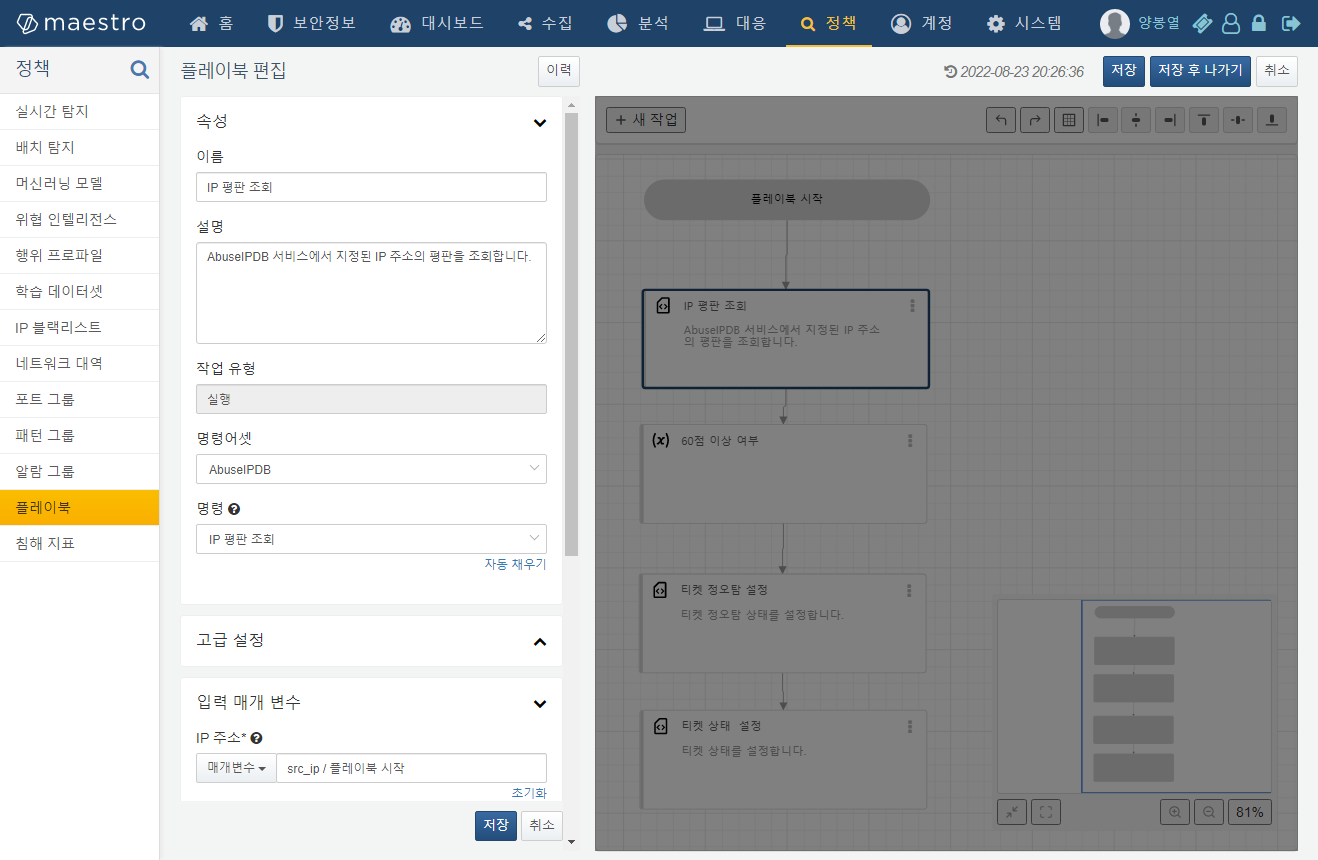
Playbook Configuration
Add a new task by selecting AbuseIPDB from the command set and choosing the Query IP Reputation command. For the input parameter, specify the source IP address passed from the playbook's starting task.
Playbook Execution Example
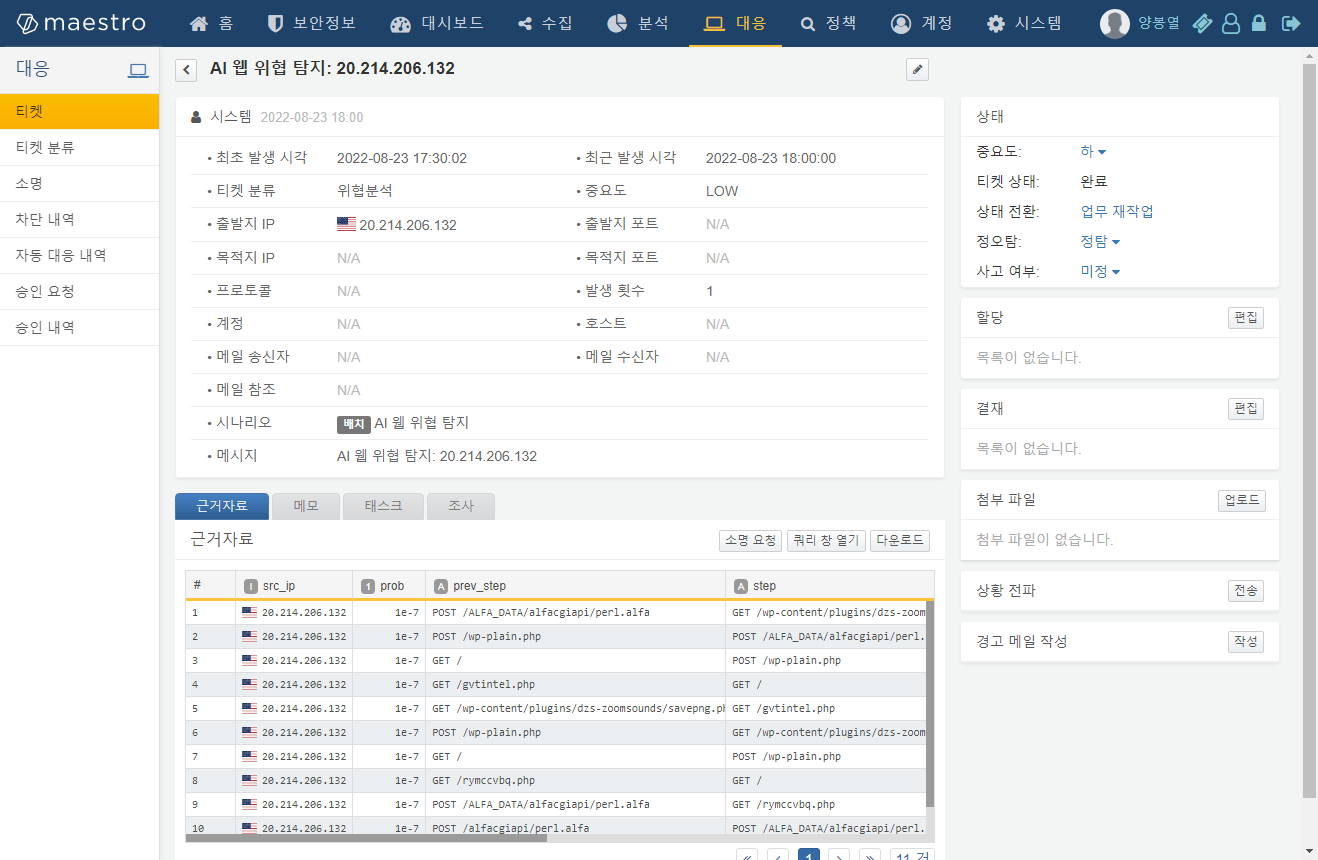
For example, a ticket may be triggered when a threat is detected in web logs as shown below:
If a threat detection scenario is configured as the playbook trigger condition, the playbook will automatically run upon ticket creation and execute tasks such as the AbuseIPDB IP reputation lookup:
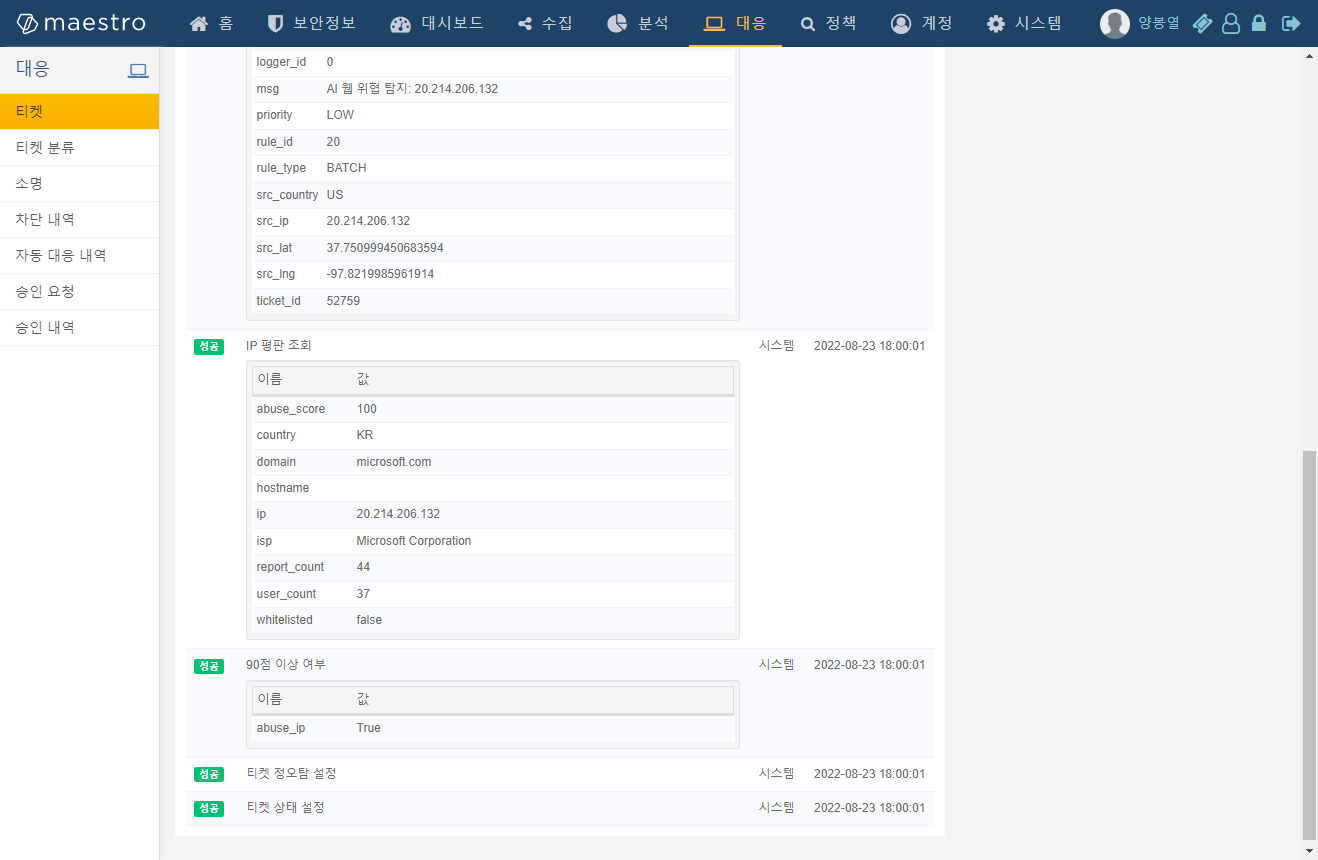
If the AbuseIPDB reputation score is 90 or higher, the incident is automatically classified as a true positive and the ticket is closed. The result can be reviewed directly within the ticket details. The entire playbook workflow can also be visually reviewed as shown below:
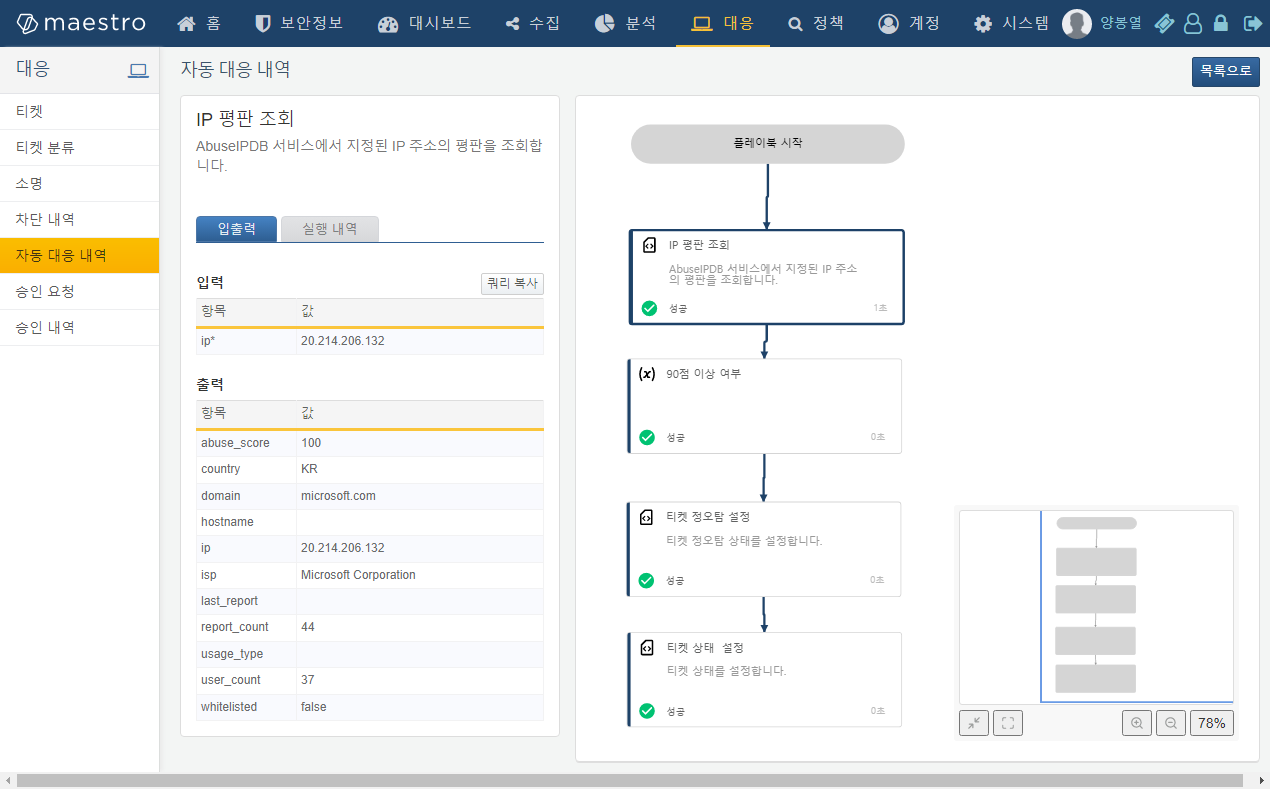
Optionally, you can add a follow-up step in the playbook to automatically block the attacker IP on a firewall.